WordPress is still the right choice for most small and mid-sized businesses in 2026 because it offers more control, more flexibility, and a larger ecosystem of developers and tools than any competing platform. It powers a larger share of the web than any alternative, which means easier hiring, more plugin options, and better long-term portability for your content. That said, it is not automatically the right fit for every situation, and this post will tell you honestly when it is not.
What WordPress actually gives you that hosted platforms don't
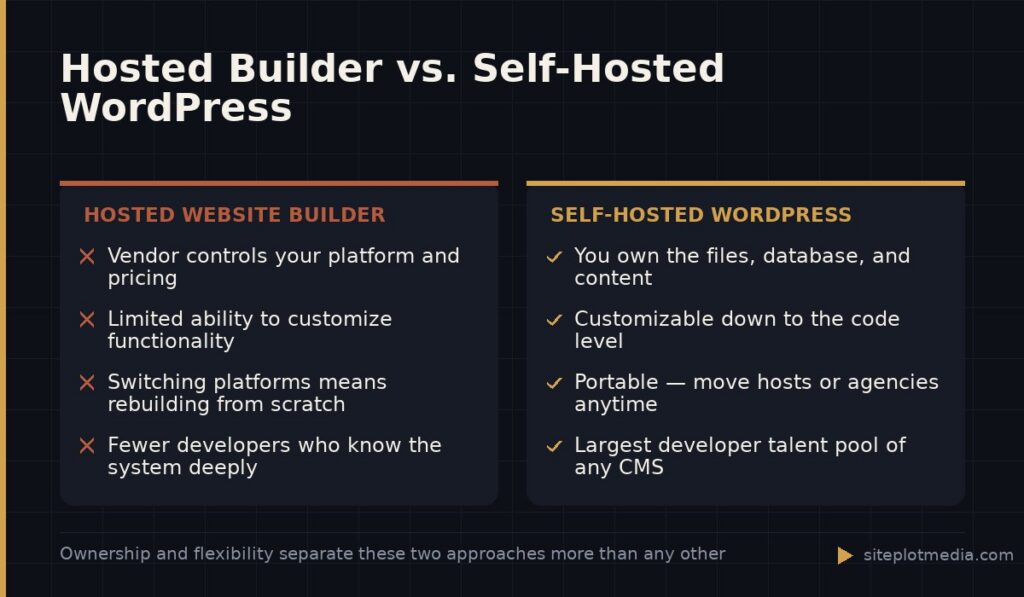
When you build on WordPress, you own the software, the files, and the database. That is not true of hosted website builders like Squarespace, Wix, or Shopify. With those platforms, your site lives inside their system. If they raise prices, change their terms, or shut down a feature you rely on, your options are limited. With WordPress, you can move your entire site to a new host or a new agency without starting over.
Ownership also means customization without ceilings. A hosted platform will let you change colors and layouts within guardrails. WordPress lets a developer change almost anything about how the site works, looks, and integrates with your other tools — your CRM, your email platform, your booking system. That flexibility costs more time and money to implement, but it is real and it compounds in value as your business grows.
The ecosystem advantage: developers, plugins, and long-term support
WordPress has been the dominant content management system for over twenty years. That longevity means something practical: virtually every freelance developer, every web agency, and every hosting company knows how to work with it. If you outgrow your current developer or want to bring work in-house, finding qualified help is straightforward. That is not true of proprietary website builders or newer platforms with smaller communities.
The plugin ecosystem extends the same logic. Need to add a membership area, an event calendar, an e-commerce store, or a live chat widget? There are mature, well-supported plugins for all of those. Many are free; premium versions typically run $50 to $200 per year. The tradeoff is that plugins require maintenance and can conflict with each other if you pile on too many — which is a real operational concern, not a hypothetical one.
- Plugins solve most common feature requests without custom development
- Thousands of theme and design starting points reduce build time
- A large talent pool keeps hourly rates competitive
- Community documentation is deep enough to self-serve many small issues
This is the kind of thing we handle day to day — you can see how our build process works or browse recent work.
Where WordPress has genuine weaknesses
Being honest here matters. WordPress is self-hosted software, which means someone has to maintain it. Core updates, plugin updates, security patches, and backups are ongoing responsibilities. If you launch a WordPress site and walk away from it, you will eventually have a problem — an outdated plugin becomes a security vulnerability, or a PHP version change breaks something quietly. This is not a reason to avoid WordPress, but it is a reason to budget for ongoing maintenance or choose a managed hosting plan that handles updates for you.
Performance is the other honest conversation. A poorly built WordPress site — one loaded with page-builder plugins, unoptimized images, and a dozen third-party scripts — can be significantly slower than a well-built site on a simpler platform. Speed is not automatic. It is the result of deliberate decisions about how the site is built and hosted. The platform does not cause the problem, but it does require more intentional work than a tightly controlled hosted platform.
Finally, if your needs are very simple — a one-page site, a basic portfolio, or a temporary landing page — a hosted builder may genuinely be the smarter and cheaper choice. The right tool fits the job.
WordPress and SEO: what's true and what's overstated
You will often read that WordPress is great for SEO. That is partially true and partially marketing. WordPress does make it easy to control the technical elements that search engines care about: page titles, meta descriptions, heading structure, URL formatting, image alt text, and internal linking. Plugins like Yoast SEO or Rank Math give you a clean interface for managing those things without touching code. That is a genuine advantage over platforms that abstract these controls away or charge extra for them.
What WordPress does not do is rank your site for you. Search performance depends on the quality of your content, the authority your domain has earned, your site speed, and dozens of other factors that have nothing to do with your CMS choice. A well-built WordPress site gives you a clean technical foundation. What you do on top of that foundation determines whether it actually performs in search.
What to expect when you invest in a professionally built WordPress site
A serious WordPress build from a professional studio is not a template purchase. It involves strategy, design, development, content migration, speed optimization, and usually some SEO groundwork. The scope drives the cost. A simple five-to-ten page site built properly typically falls somewhere between $3,000 and $8,000. More complex projects with custom functionality, e-commerce, or integrations run higher. Be skeptical of quotes well below that range — something is usually being skipped.
Ongoing costs are real too. Managed hosting, maintenance retainers, plugin licenses, and content updates add up. As an example of what a full-service engagement looks like, Siteplot Media’s WordPress package is a $5,000 one-time build with a 90-day included support period, followed by $500 per month for ongoing maintenance and optimization. That kind of bundled arrangement is worth comparing against piecing together a host, a developer, and a maintenance plan separately.
The question to ask any prospective developer is not just what it costs to build, but what it costs to run, and who is responsible when something breaks.
The honest bottom line: who should choose WordPress in 2026
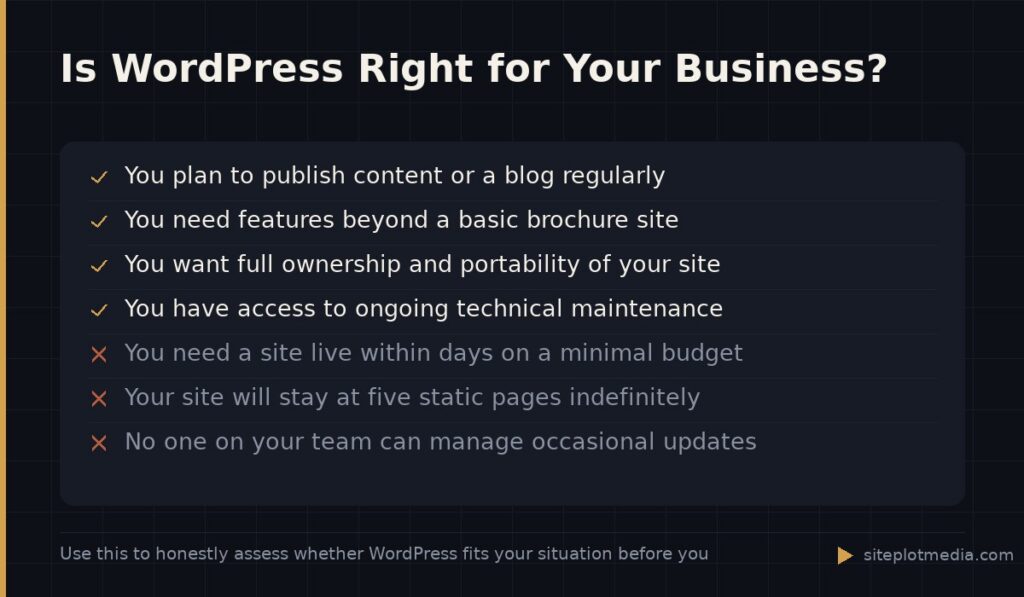
WordPress is the right choice if you plan to publish content regularly, need features that go beyond a basic brochure site, want full ownership of your data, or expect your site to grow in complexity over time. It is also the right choice if long-term portability matters to you — meaning you do not want to be locked into a vendor’s pricing or feature decisions five years from now.
It is probably not the right choice if you need something live in a week with minimal budget, your site will never go beyond five static pages, or you have no one available to handle ongoing maintenance. In those cases, a well-configured hosted platform is a more honest recommendation, and any advisor who tells you otherwise is prioritizing a sale over your situation.
- Choose WordPress if you need content flexibility and long-term ownership
- Choose WordPress if you want a larger pool of developers to work with
- Consider alternatives if your needs are simple and your timeline is short
- Always budget for maintenance, not just the initial build
Frequently asked questions
Is WordPress still worth using in 2026?
Yes, WordPress is still worth using in 2026 for most small and mid-sized businesses that need a flexible, content-driven website they fully own. It has the largest developer ecosystem of any CMS, which protects your investment over time.
Is WordPress better than Squarespace or Wix for a small business?
WordPress offers more control and long-term flexibility, but Squarespace and Wix are genuinely easier to manage without technical help and can be the smarter choice for very simple sites with limited budgets. The right answer depends on how complex your needs are and whether you have ongoing technical support available.
Does WordPress actually help with SEO?
WordPress makes it easier to manage the technical SEO elements of your site, like page titles, URLs, and meta descriptions, but it does not improve your rankings on its own. Good search performance still depends on content quality, site speed, and the authority your site has built over time.
How much does a professional WordPress website cost?
A professionally built WordPress site typically costs between $3,000 and $8,000 for a standard small business site, with more complex projects running higher depending on scope. Beyond the build, budget for ongoing hosting, maintenance, and any plugin licenses your site requires.
What is the biggest downside of using WordPress?
The biggest practical downside of WordPress is that it requires ongoing maintenance — updates, security patches, and backups — that hosted platforms handle automatically. If no one is actively maintaining your WordPress site, it will become a liability over time rather than an asset.