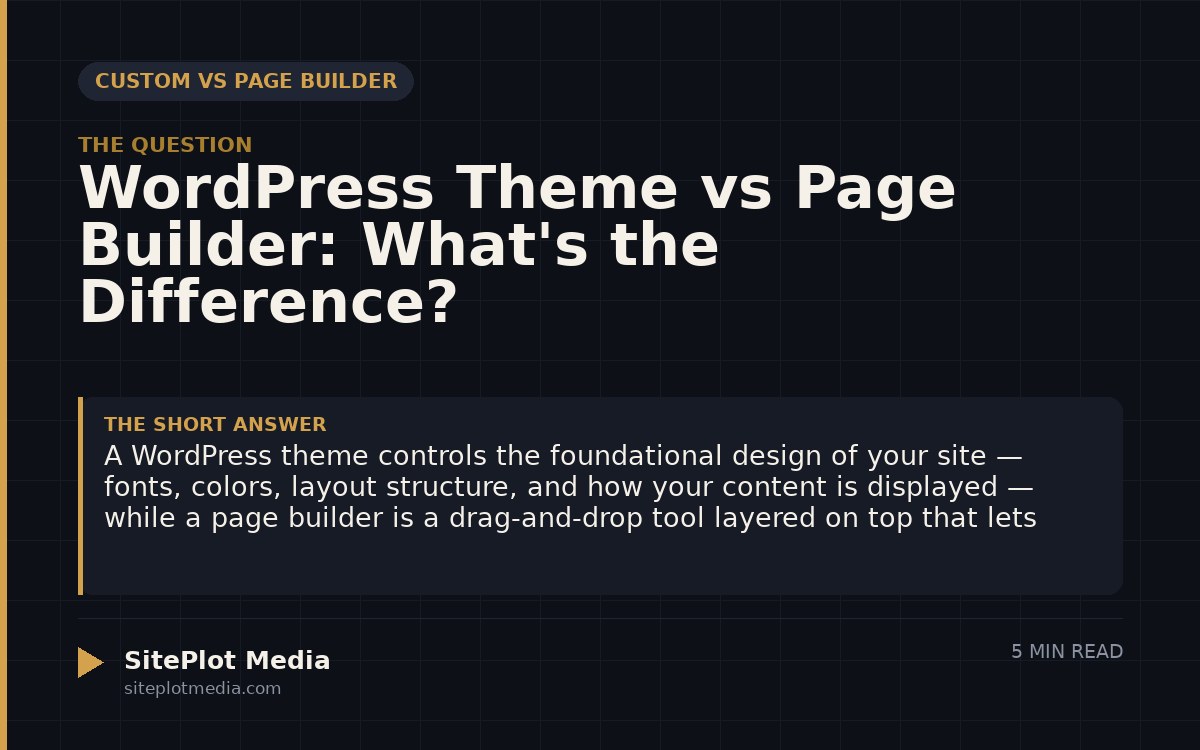
A WordPress theme controls the foundational design of your site — fonts, colors, layout structure, and how your content is displayed — while a page builder is a drag-and-drop tool layered on top that lets you visually arrange content on individual pages. They are not the same thing, and you often use both at once, though some modern themes are built to replace the need for a separate page builder entirely. Understanding the difference helps you make smarter decisions about your site’s speed, flexibility, and long-term maintenance costs.
What a WordPress theme actually does
Think of a WordPress theme as the architectural frame of your website. It determines the global rules: where your navigation sits, how your header and footer look, what your typography defaults are, and how your site behaves on mobile devices. When you switch themes, the whole character of the site changes at once.
Themes are made up of template files — code that tells WordPress how to display different types of content, like a blog post versus a product page versus a contact form. A well-built theme is lean, purposeful, and consistent. A poorly built one tries to do everything and ends up doing nothing well.
Some themes are bare-bones “starter” themes meant for developers to build on. Others are fully designed out of the box. The important thing to understand is that a theme, by itself, rarely gives you pixel-level control over individual page layouts — that is where page builders enter the picture.
What a page builder actually does
A page builder is a plugin (or sometimes a built-in tool) that lets you visually construct individual pages by dragging and dropping elements — columns, images, text blocks, buttons, forms — into place. Popular options include Elementor, Divi, Beaver Builder, and WordPress’s own block editor, Gutenberg.
Page builders solve a real problem: WordPress themes alone don’t give non-developers much control over the specific layout of a landing page or a homepage hero section. A page builder fills that gap by wrapping your content in its own layer of code and styling.
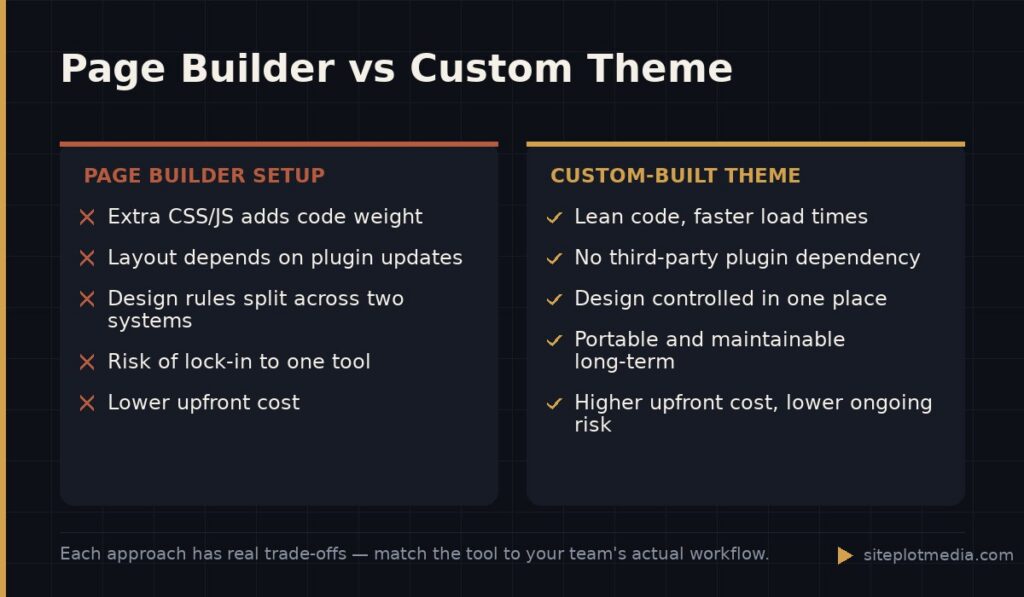
That added layer is also the main trade-off. Page builders generate extra code — additional CSS and JavaScript — that the browser has to load. For most sites this is manageable, but on slower hosting or with feature-heavy builders, it can noticeably affect page speed. That matters for user experience and, by extension, search rankings.
This is the kind of thing we handle day to day — you can see how our build process works or browse recent work.
How themes and page builders interact — and where it gets complicated
Here is where business owners often get confused: when you use a page builder, it partially overrides your theme. Your theme might define the global font, but Elementor lets you override it section by section. Your theme sets the default button color, but your page builder might ignore it. Over time, this creates a site where the design rules are scattered across two systems instead of one — which makes future updates harder and hands-off maintenance more expensive.
Some all-in-one themes like Divi or Avada blur the line further by bundling their own page builder inside the theme itself. That can feel convenient early on, but it creates deep lock-in: your content becomes tightly coupled to that specific tool, and switching later means rebuilding pages from scratch.
The cleanest setups are usually one of two things: a lightweight theme paired with Gutenberg (WordPress’s native editor), or a custom-built theme with no page builder at all, where layouts are built directly into the templates by a developer.
Which setup is right for your business?
The honest answer is: it depends on your priorities. Here is a practical breakdown:
- You need to update content yourself, budget is limited, and design flexibility matters: A solid free or low-cost theme plus Gutenberg or a lightweight builder like Kadence Blocks is a reasonable starting point.
- You want full visual control and are willing to accept some speed trade-off: A well-configured Elementor or Beaver Builder setup on good hosting works fine for many businesses. The key is restraint — not loading every widget and animation available.
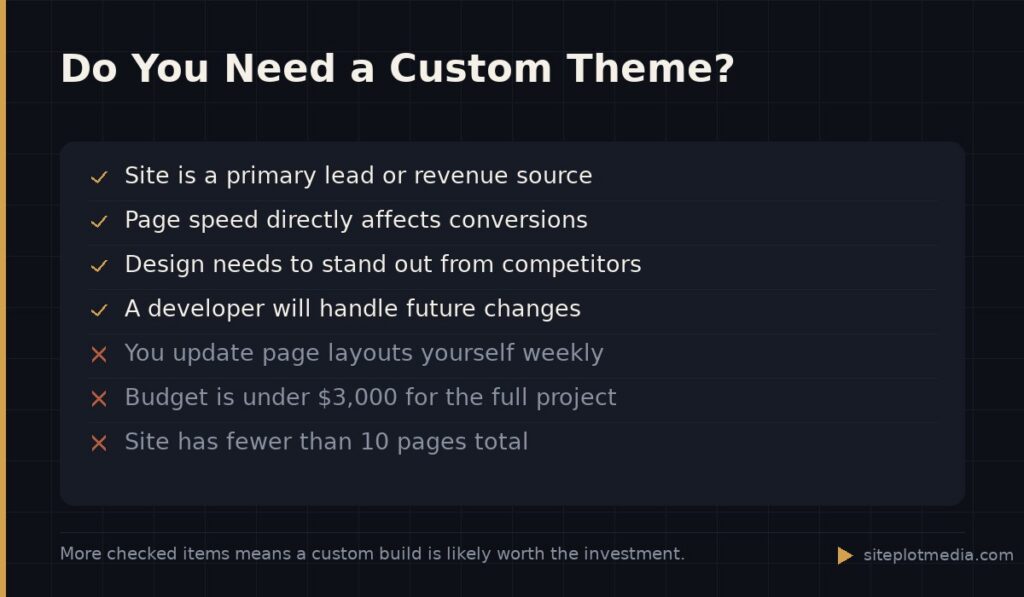
- Your site is a core revenue driver and performance, SEO, or brand differentiation matter: A custom-built theme with no page builder is usually the right call. It is more expensive upfront but results in a faster, more maintainable site with no dependency on third-party plugin updates.
If you are running a simple five-page brochure site and you want to manage it yourself, do not let anyone talk you into a $10,000 custom build. Conversely, if your site is generating leads or selling products at volume, a sluggish page-builder setup has a real cost — in conversions and in developer time every time something breaks on a plugin update.
The case for going fully custom (and when it is not necessary)
A fully custom WordPress theme — meaning a developer writes the templates specifically for your site with no page builder in the stack — gives you the fastest possible load times, the cleanest codebase, and complete design control without conflicting systems. There is no plugin to update that might break your homepage layout. There is no licensing fee for a premium builder. The design is exactly what it needs to be and nothing more.
The trade-off is cost and flexibility. Custom work requires a developer for future layout changes, so it suits businesses with a stable content structure and a team or agency relationship that handles ongoing updates. At Siteplot Media, our custom site packages start at $5,000 one-time with a 90-day included support period followed by $500 per month — that pricing reflects the ongoing relationship, not just the launch.
For businesses that genuinely need to redesign pages frequently and cannot depend on a developer being available, a well-chosen page builder may be the more practical tool. The goal is matching the tool to your actual workflow, not chasing a technical ideal that creates friction for your team.
The one question to ask before you decide
Before choosing a theme, a builder, or a custom approach, ask yourself: who will maintain this site six months from now, and what will they need to do to it? If the answer is “a developer, rarely,” a custom theme is a strong choice. If the answer is “my marketing coordinator, weekly,” you need a system they can actually use without breaking things.
The best website setup is the one that matches the real people managing it — not the one that looks most impressive in a demo. Get clarity on your content workflow first, then choose your tools to fit it.
Frequently asked questions
Can I use a page builder without a WordPress theme?
No — every WordPress site requires a theme to function, and a page builder works on top of it. Some page builders come bundled inside a theme (like Divi), which makes it feel like one product, but the theme layer is always present.
Do page builders hurt SEO?
Page builders can negatively affect page speed if they add significant code weight, and slower pages can hurt your search rankings. The impact varies widely depending on which builder you use, how it is configured, and the quality of your hosting.
What is the difference between Elementor and a WordPress theme?
Elementor is a page builder plugin that controls the layout of individual pages, while a WordPress theme controls the site-wide design framework. Most Elementor users run it alongside a separate theme, though Elementor also offers its own companion theme called Hello Elementor.
Is Gutenberg a page builder or a theme?
Gutenberg is WordPress's built-in block editor and is considered a lightweight page builder, not a theme. It lets you arrange content blocks visually without installing a third-party plugin, and it generally adds less code weight than tools like Elementor or Divi.
Should I hire a developer or use a page builder to build my business website?
If your site is a primary revenue driver or you need a distinctive design, hiring a developer for a custom build usually delivers better long-term results. If you have a limited budget and need to manage content yourself, a well-chosen page builder is a reasonable and honest alternative.