
To prepare for a website build, you need to gather your brand assets, clarify your goals, organize your content, and make key decisions about domain, hosting, and site structure before your developer touches a single file. Walking in prepared can cut weeks off a project timeline and prevent the most common cause of delays: waiting on the client. The more decisions you make upfront, the smoother and faster your build will go.
Start with your goals, not your design preferences
The first question your web team will ask is: what do you need this site to do? Not how it should look — what it should accomplish. Should it generate leads through a contact form? Sell products directly? Book appointments? Build credibility for a sales team that closes deals offline? The answer shapes every decision that follows, from the page structure to what gets written to how the site gets measured after launch.
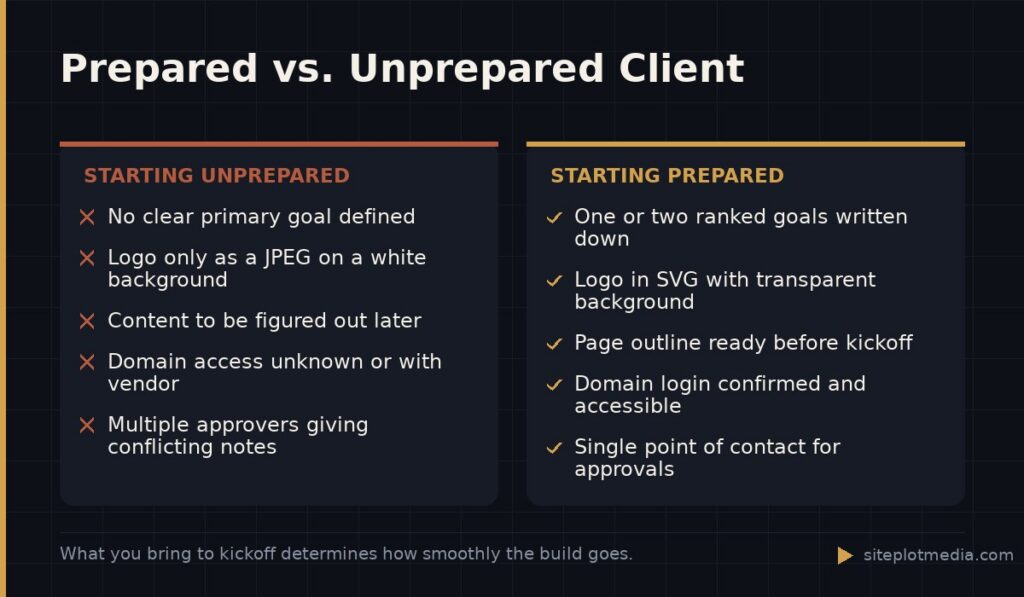
Write down one or two primary goals in plain language before your first meeting. If you have multiple goals — say, capturing leads and also explaining your services to existing clients — rank them. When goals compete for the same screen space, someone has to decide which one wins. That decision is easier when you have already thought it through.
Be honest about your timeline and budget too. A developer who knows you need to launch before a trade show in eight weeks will plan differently than one who thinks the schedule is flexible. Surprises at the halfway point are expensive for everyone.
Gather your brand assets before kickoff
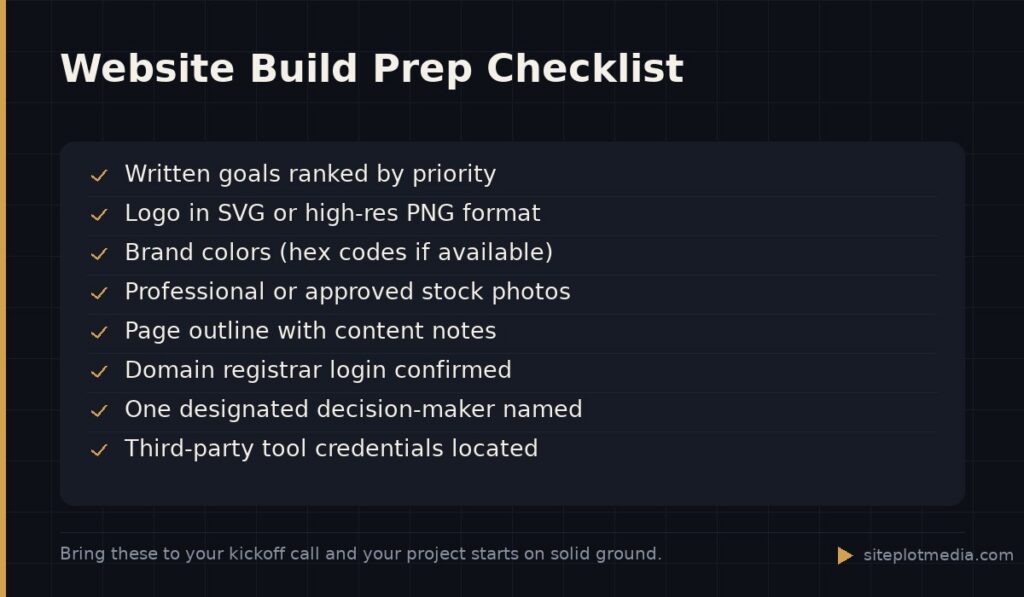
Nothing stalls a project faster than waiting for a logo file. Before your build starts, locate and hand off everything your designer will need to make the site look like your business:
- Your logo in vector format (.svg or .ai) or at minimum a high-resolution .png with a transparent background
- Your brand color codes (hex values, like #2B4C8C) — if you do not have these, your designer can pull them from your existing materials
- Any fonts your brand uses, or a note that you are open to new font choices
- A folder of professional photos — your team, your space, your products, or your work
- Any brand guidelines document, even a simple one-pager
If your photography is thin or outdated, say so now rather than after the site goes live. Stock photography is a reasonable bridge, but it is worth discussing with your team which pages need real images most.
This is the kind of thing we handle day to day — you can see how our build process works or browse recent work.
Write or organize your content before the build begins
Content — the actual words on your pages — is the single biggest source of project delays. Many business owners underestimate how long it takes to write good website copy, and developers often cannot build pages that work well until they know roughly how much text is going where. If you are hiring a copywriter, engage them at the same time you engage your developer, not after the design is done.
At minimum, prepare a rough outline of every page you need. A simple list works fine:
- Home — hero headline, three key services, one trust signal, call to action
- About — company story, team bios, one or two differentiators
- Services — one page per service, or a combined overview page
- Contact — form, phone, address, hours
If you have existing content — a brochure, an old site, a slide deck — share it. Even rough material gives a developer and copywriter something to work from. A blank page is the enemy of momentum.
Confirm your domain, hosting, and account access
Before work begins, you need to know where your domain name lives and who controls it. Your domain registrar (the company that holds your .com or other extension) is separate from your web host (the server where your site files live), and both need to be accessible to your team. Common registrars include GoDaddy, Namecheap, Cloudflare, and Google Domains. Log in to whichever one holds your domain, confirm you can access it, and be ready to share access with your developer.
Hosting is a separate decision. Some agencies include hosting in their service; others hand the site off to you to manage. If you are working with a full-service studio — one that handles ongoing maintenance, updates, and support — ask clearly whether hosting is part of the arrangement and what happens if you ever part ways. You should always own your domain and always be able to get a copy of your own site files. If a vendor cannot clearly confirm both, that is a red flag.
Also locate login credentials for any third-party tools your site will connect to: your email marketing platform, your booking system, your CRM, your payment processor. Even if the developer does not need them on day one, finding these early prevents a scramble at launch.
Identify your decision-maker and review process upfront
One of the quieter causes of project delays is unclear approval chains. If your developer sends a design for feedback and three different people respond with three conflicting opinions, the project stalls while you sort it out internally. Before the project starts, designate one person who gives final approval on design, content, and launch. That person can collect input from others, but they speak with one voice to the developer.
Agree on a review turnaround time too. Most professional agreements ask clients to respond to review requests within two to five business days. If your schedule makes that difficult, say so at the start so your developer can plan accordingly. A project where feedback takes three weeks per round will take three times as long to finish as one where feedback comes back in two days — and that delay is on the client side, not the agency’s.
What to expect when you are actually ready
When you show up to a kickoff call with goals written down, brand assets in a shared folder, a page outline drafted, your domain login confirmed, and a designated point of contact identified, you are genuinely ahead of most clients. That preparation translates directly into a faster build, fewer revision rounds, and a site that actually reflects your business rather than a placeholder version of it.
Project timelines and costs vary widely based on scope. A simple five-page brochure site and a multi-service site with booking integrations are very different animals. If you are evaluating proposals, ask each vendor to walk you through exactly what they need from you and when — that question alone will tell you a lot about how organized their process is. For reference, Siteplot Media’s website package starts at $5,000 as a one-time build fee, with ongoing support at $500 per month after a 90-day included period — but the right fit depends entirely on what your business needs.
The most important thing is to come in as a collaborator, not a passenger. The business owner who is engaged, responsive, and prepared gets a better site than one who disappears after signing the contract. Your developer knows web technology; you know your business. The best sites are built when both sides show up ready to work.
Frequently asked questions
How long does it take to prepare for a website build?
Most business owners can prepare everything their developer needs in one to two focused work sessions. The longest part is usually gathering or writing content — block out time for that specifically, since it rarely happens quickly if you leave it to spare moments.
Do I need to have all my content written before the build starts?
You do not need final polished copy on day one, but you should have an outline of every page and a clear sense of what goes on each one. Waiting until the design is done to think about content almost always causes delays and can force redesign work.
What file format should my logo be in for a website build?
SVG or AI (Adobe Illustrator) are ideal because they scale to any size without losing quality. If you only have a PNG, make sure it is high resolution and has a transparent background — a logo on a white box dropped onto a colored page is a common and avoidable problem.
What if I do not have professional photos yet?
Stock photography is a perfectly fine placeholder, and for some pages it is completely adequate long-term. Tell your developer upfront which pages you plan to update with real photos later so the design can accommodate that swap easily.
Should I register my domain before hiring a web developer?
Yes — own your domain before the project starts and keep it registered in your own name, not your developer's. Your domain is a business asset, and you should control it regardless of who builds or hosts your site.