For most WordPress sites, the best URL structure uses short, descriptive slugs that reflect the page’s topic — for example, yoursite.com/services/seo-consulting rather than yoursite.com/?p=42. Set your permalinks to “Post name” in WordPress settings, keep URLs lowercase and hyphenated, and avoid stuffing in dates or category folders unless they genuinely help your readers. A clean, logical URL structure makes your site easier to navigate for both visitors and search engines.
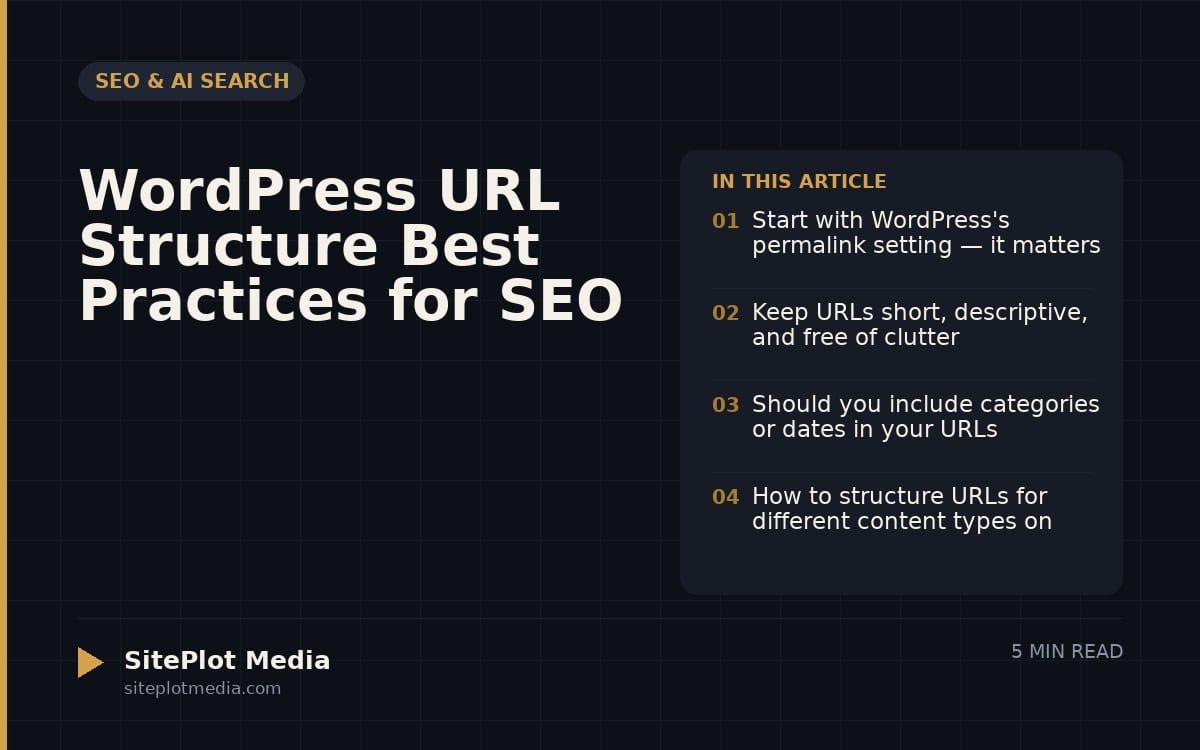
Start with WordPress's permalink setting — it matters more than you think
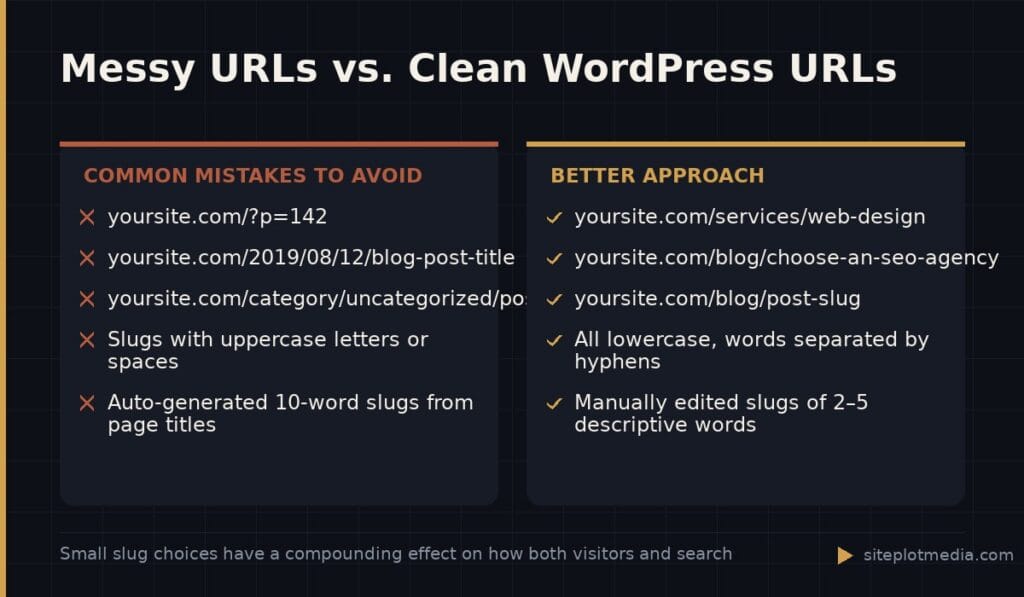
When you install WordPress, it defaults to ugly URLs like /?p=123. These are meaningless to a visitor and give search engines nothing to work with. Your first move should be going to Settings → Permalinks in your WordPress dashboard and selecting Post name. This tells WordPress to build URLs from the title of each post or page, which is almost always the right choice for a business site.
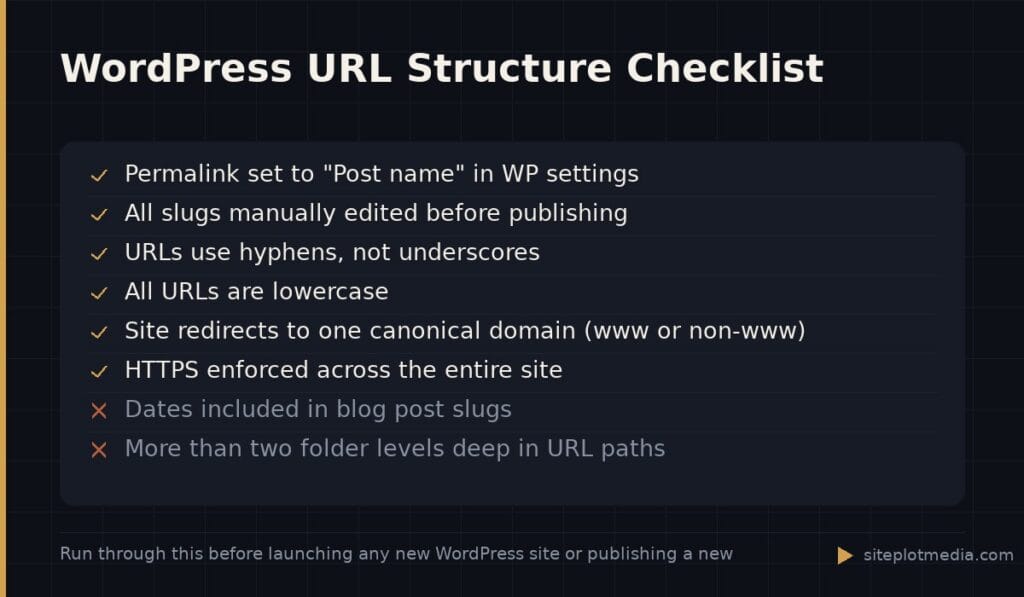
Once you change this setting, WordPress handles the technical side automatically. Every new page you create will get a clean, readable URL based on whatever you type in the “Slug” field. You can — and should — edit that slug before publishing rather than accepting the auto-generated version, especially for longer titles that produce bloated URLs.
One important caveat: if your site is already live and has existing URLs indexed by Google, changing your permalink structure will break those links unless you set up redirects. If you’re building a new site, do this on day one. If you’re inheriting an older site, talk to a developer before changing anything.
Keep URLs short, descriptive, and free of clutter
A good URL tells the reader — and the search engine — exactly what’s on the page before they click. That means stripping out unnecessary words. Compare /blog/2023/09/how-to-choose-the-best-seo-agency-for-your-business-today with /blog/choose-an-seo-agency. The second version is easier to share, easier to remember, and communicates the topic just as clearly.
A few practical rules worth following:
- Use hyphens to separate words, not underscores. Google treats hyphens as word separators; it treats underscores as connectors, which can muddle keyword recognition.
- Keep everything lowercase. Uppercase letters in URLs can create duplicate-page problems on some servers.
- Remove filler words (“and,” “the,” “for”) when they don’t add meaning, but don’t over-trim to the point where the URL loses its meaning.
- Never use special characters, spaces, or punctuation other than hyphens.
The goal is a URL a person could read aloud and understand. If you have to pause and decode it, it’s too complicated.
This is the kind of thing we handle day to day — you can see how our build process works or browse recent work.
Should you include categories or dates in your URLs?
This is one of the most common questions in WordPress URL structure, and the honest answer is: it depends on your content type. For most small business websites — service pages, landing pages, a modest blog — the cleanest approach is /blog/post-slug or just /post-slug with no date or category folder in the path.
Dates hurt more than they help in most cases. A URL like /2019/how-to-hire-a-contractor signals to a reader that your content might be outdated, even if you’ve updated it since. It also makes your URLs longer for no navigational benefit. The one exception: news sites or publications where recency is genuinely part of the value proposition.
Category folders — like /services/web-design/ or /blog/marketing/ — can help when you have a large site with genuinely distinct content groups and you want to signal hierarchy clearly. For a 20-page business website, they usually just add unnecessary length. If you do use them, keep category names short and don’t nest more than two levels deep.
How to structure URLs for different content types on your site
Not all pages on your site are the same type, and your URL structure should reflect that. Here’s a practical framework for common business website content:
- Homepage: Just
yoursite.com/— no slug needed. - Service pages:
/services/web-designor simply/web-designif you have few services. The key is that the URL matches what the visitor is looking for. - Blog posts:
/blog/post-slugworks well. The/blog/prefix tells visitors — and AI search engines parsing your site — that this is editorial content, not a core service page. - Location pages (for local SEO):
/locations/city-nameor/service-area/city-state. Keep them consistent so the pattern is obvious. - About, Contact, and legal pages: Keep these flat —
/about,/contact,/privacy-policy. No need to nest them under folders.
Consistency matters as much as any individual URL choice. If your service pages follow one pattern and your blog follows another, that’s fine — just don’t mix patterns within the same content type. Inconsistency makes your site harder to audit and maintain over time.
What URL structure means for AI search and modern discovery
AI-powered search tools — including Google’s AI Overviews, Bing Copilot, and tools like Perplexity — parse your site’s structure to understand relationships between pages. A logical URL hierarchy supports this. When your URLs clearly signal that /services/seo is a child of /services/, it reinforces your site architecture and helps these tools categorize your content accurately.
This isn’t about gaming AI systems — it’s about making your content genuinely easier to interpret. A site where every URL is a flat, random slug is harder to read programmatically than one where the hierarchy is visible in the paths themselves. Clean structure also makes your internal linking more coherent, which compounds the benefit over time.
One increasingly relevant consideration: when AI tools cite your content, the URL often appears alongside the excerpt. A URL that reads like a headline — siteplot.com/blog/wordpress-url-structure-best-practices — signals credibility in a way that a garbled URL simply doesn’t.
Avoid these common WordPress URL mistakes
Even well-intentioned sites make URL mistakes that create real SEO problems down the road. The most costly ones involve changing URLs after pages are already indexed and linked — without proper redirects, you lose any authority those pages had accumulated and create a poor experience for visitors following old links.
Other mistakes worth avoiding:
- Duplicate URLs: If your site is accessible at both
http://andhttps://, or atwwwand non-wwwversions, you may be splitting your search equity across multiple addresses. Pick one canonical version and redirect everything else to it. - Auto-generated slugs from long titles: WordPress will turn “10 Things You Should Know About Hiring a Web Developer in 2024” into a 12-word slug. Edit it down before publishing.
- Session IDs and tracking parameters in base URLs: These should be handled through other means — not baked into your permanent URL structure.
- Inconsistent trailing slashes:
/servicesand/services/are technically different URLs. Make sure your site consistently uses one version and redirects the other.
If you’re auditing an existing site and finding messy URLs throughout, the cleanup process requires planning — especially mapping out redirects — before touching anything. Rushing it creates more problems than it solves.
Frequently asked questions
What is the best permalink setting in WordPress for SEO?
The "Post name" permalink setting is the best choice for most WordPress sites because it produces clean, descriptive URLs like <code>/services/web-design</code> instead of numeric strings. You can find this under Settings → Permalinks in your WordPress dashboard.
Should I include the year in my WordPress blog post URLs?
For most business blogs, no — including the year makes posts look dated and adds unnecessary length to your URLs. News publishers or sites where publication date is core to the reader's decision may be exceptions.
Can changing my URL structure hurt my SEO?
Yes, changing live URLs without setting up proper 301 redirects will cause you to lose search rankings and break any external links pointing to those pages. Always implement redirects before changing a URL that's already indexed.
How long should a WordPress URL slug be?
Aim for two to five words that clearly describe the page's topic — enough to be meaningful, short enough to be shareable. Strip filler words but don't abbreviate so aggressively that the slug becomes cryptic.
Do URL structure changes affect how AI search tools find and cite my content?
Yes, in a practical sense: AI search tools parse your site's URL hierarchy to understand content relationships, and a clean, logical structure makes your pages easier to categorize and cite accurately. A readable URL also appears more credible when shown alongside an AI-generated excerpt.