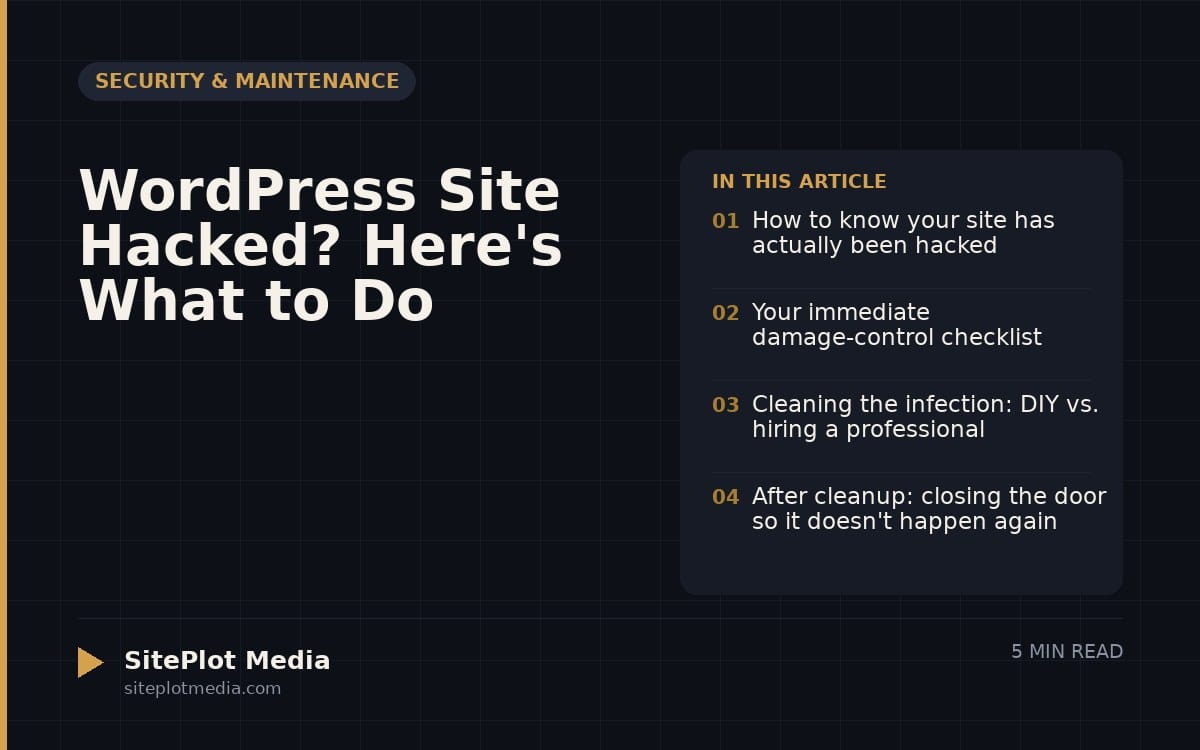
If your WordPress site has been hacked, your first move is to take it offline or put it in maintenance mode so visitors aren’t exposed to malware, then scan for and remove the infection, restore from a clean backup if you have one, and change every password associated with the site. The faster you act, the less damage is done to your business, your visitors, and your search rankings.
How to know your site has actually been hacked
Not every strange behavior means you’ve been hacked, but some signs are hard to misread. Your browser might warn you that the site is dangerous before anyone even lands on it. Google Search Console may have sent you a security alert. Visitors might be getting redirected to a spammy site. Or you might notice pages in your Google search results that you never created — often in foreign languages or pushing pharmaceuticals and gambling.
Other signs are subtler: your site is suddenly much slower, you see admin accounts you don’t recognize, or your hosting company suspended the account. Any one of these warrants immediate investigation. Don’t wait to see if it resolves on its own — it won’t.
Your immediate damage-control checklist
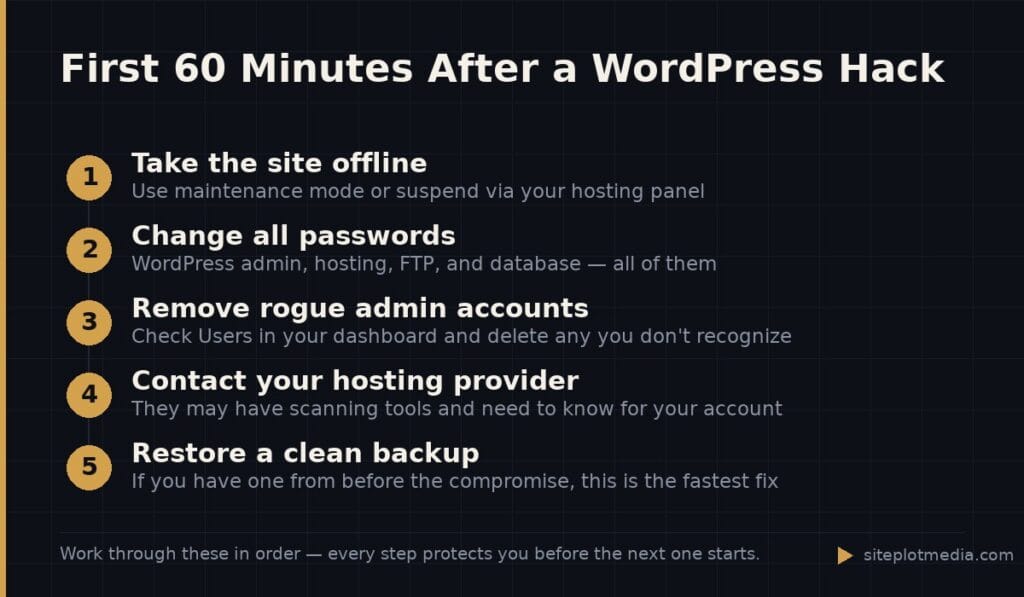
Speed matters here. Every hour your site is up and serving malware, you’re potentially harming visitors, poisoning your SEO, and deepening the cleanup problem. Work through these steps as quickly as you can:
- Put the site in maintenance mode or take it offline. Most hosting control panels let you suspend the site with a few clicks. Some security plugins like Wordfence or iThemes Security have a “lock down” option.
- Change every password immediately. Start with your WordPress admin password, then your hosting account, your FTP/SFTP credentials, and your database password. Use a password manager to generate long, random passwords — not variations of ones you’ve used before.
- Enable two-factor authentication. If your host or WordPress login supports it, turn it on now. It’s free and it closes one of the most common entry points.
- Notify your hosting provider. They may already know, they likely have tools to help, and your account agreement may require it. Many hosts offer one-click malware scanning through their control panel.
- Check for rogue admin accounts. In your WordPress dashboard under Users, look for accounts you don’t recognize. Delete them immediately — but note the username first, since it may help you trace how the attacker got in.
If you have a recent clean backup, this is the moment to use it. A backup from before the compromise — restored onto a freshly secured environment — is almost always the fastest path back to a clean site.
This is the kind of thing we handle day to day — you can see how our build process works or browse recent work.
Cleaning the infection: DIY vs. hiring a professional
Malware removal is where many business owners underestimate the problem. Deleting a few suspicious files often isn’t enough. Sophisticated attackers plant multiple backdoors — essentially hidden doors in your code that let them back in even after you’ve cleaned the obvious mess. If you miss one, you’ll be hacked again within days.
The DIY path involves installing a reputable scanner like Wordfence, Sucuri, or MalCare, running a full scan, following the remediation steps, and then doing a manual review of your core WordPress files, your theme files, and any plugins. This is genuinely possible for someone comfortable editing files via FTP, but it takes time and a methodical eye. Free scanner tiers often detect problems but charge for the actual removal tools — typically in the range of $100–$300 per year for a small site, depending on the plan.
If you’re not comfortable digging through code, or if the infection keeps coming back, a professional malware remediation service is worth the cost. Sucuri’s paid cleanup service, for example, covers unlimited cleanups for a subscription fee. A freelance WordPress developer might charge a flat rate for a single cleanup — prices vary widely based on how deep the infection goes. Be realistic: a badly compromised site with no clean backup and multiple backdoors is a multi-hour job.
After cleanup: closing the door so it doesn't happen again
Cleaning a hacked site without fixing the underlying vulnerability is like mopping up a flood without turning off the tap. Once you’re clean, your job is to understand how they got in and make sure that path no longer exists.
The most common entry points for WordPress hacks are outdated plugins or themes (especially abandoned ones that no longer receive security updates), weak or reused passwords, and nulled (pirated) themes or plugins that contain malware baked right in. A smaller percentage come through the hosting environment itself — shared hosting in particular carries some risk since other accounts on the same server can sometimes affect yours.
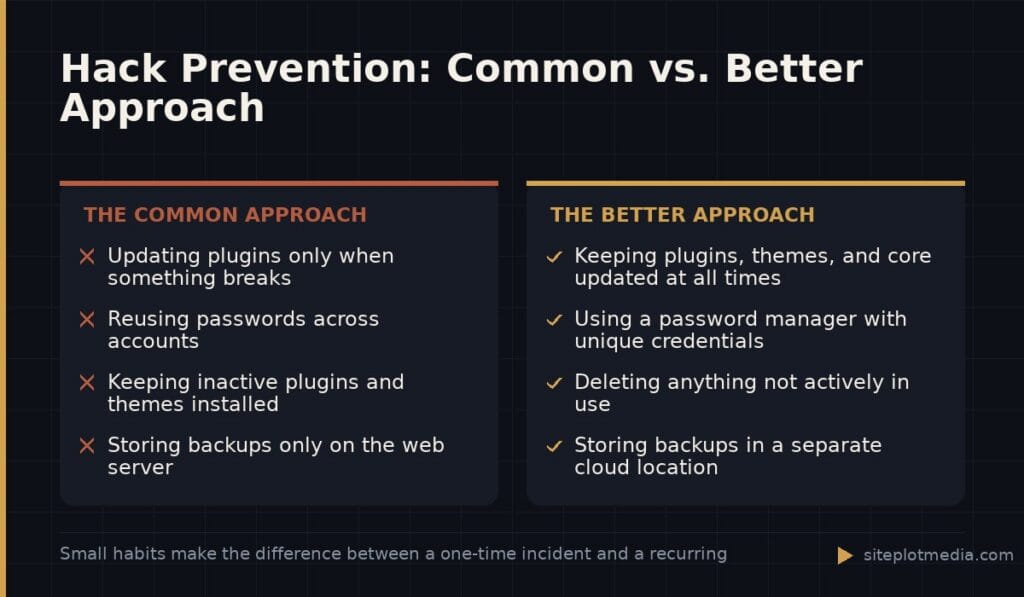
- Update every plugin, theme, and WordPress core version immediately and keep them updated going forward.
- Delete any plugins or themes you’re not actively using. Inactive code is still vulnerable code.
- Never install nulled or pirated themes and plugins — they are a leading source of infections.
- Install a security plugin that does real-time firewall blocking and login attempt limiting.
- Set up automated daily backups stored somewhere other than your web server — a separate cloud location like Backblaze, Amazon S3, or your own Google Drive.
- Ask your host about moving to a managed WordPress hosting environment if you’re on shared hosting. It costs more but includes server-level security hardening.
A web development partner who handles ongoing maintenance can take most of this off your plate — updates, backups, uptime monitoring, and security scanning as a service. If you’re looking for that kind of arrangement, it’s worth comparing what’s actually included in any maintenance plan before signing up, because coverage varies significantly.
Dealing with Google's security warnings and recovering your search visibility
If Google flagged your site as dangerous, it will show a red “Deceptive site ahead” warning to anyone who tries to visit. That warning stays in place even after you’ve cleaned the site — you have to ask Google to review and remove it manually.
Once your site is clean, log in to Google Search Console (if you haven’t verified your site there yet, do it now — it’s free and takes about five minutes). Under Security & Manual Actions, you’ll see the security issues Google found. After you’ve addressed them, click “Request Review.” Google typically processes these requests within a few days to a couple of weeks. The sooner you request the review, the sooner the warning disappears.
In terms of search rankings, a short-term drop is common after a hack — especially if your site was serving spam pages or redirecting users. Once the site is clean and Google has re-crawled it, rankings usually recover, though it can take several weeks. There’s no shortcut here. A clean, fast, well-maintained site is what Google wants to see, and over time that’s what it rewards.
Frequently asked questions
How do I know if my WordPress site has been hacked?
Common signs include browser security warnings, unexpected redirects to spammy sites, unfamiliar admin accounts, spam pages appearing in Google results, or your hosting company suspending your account. If you see any of these, treat it as a hack until you can confirm otherwise.
Can I clean a hacked WordPress site myself?
Yes, but it depends on your comfort level with WordPress files and FTP access. Free and paid security plugins like Wordfence or MalCare can detect and help remove many infections, but if the same hack keeps returning, a professional cleanup is worth the cost.
Will my search rankings recover after a WordPress hack?
Yes, rankings typically recover after the site is cleaned and Google has re-crawled it, but it can take several weeks. You'll also need to request a manual review in Google Search Console if Google displayed a security warning on your site.
How did my WordPress site get hacked in the first place?
The most common causes are outdated or abandoned plugins and themes, weak passwords, and pirated (nulled) themes or plugins that contain hidden malware. Keeping everything updated and using strong unique passwords closes the majority of these entry points.
Do I need an ongoing maintenance plan to prevent future hacks?
Not necessarily — a disciplined DIY routine of regular updates, strong passwords, automated backups, and a security plugin covers most risks for a small site. A managed maintenance plan makes sense when you don't have the time or technical confidence to stay on top of it yourself.