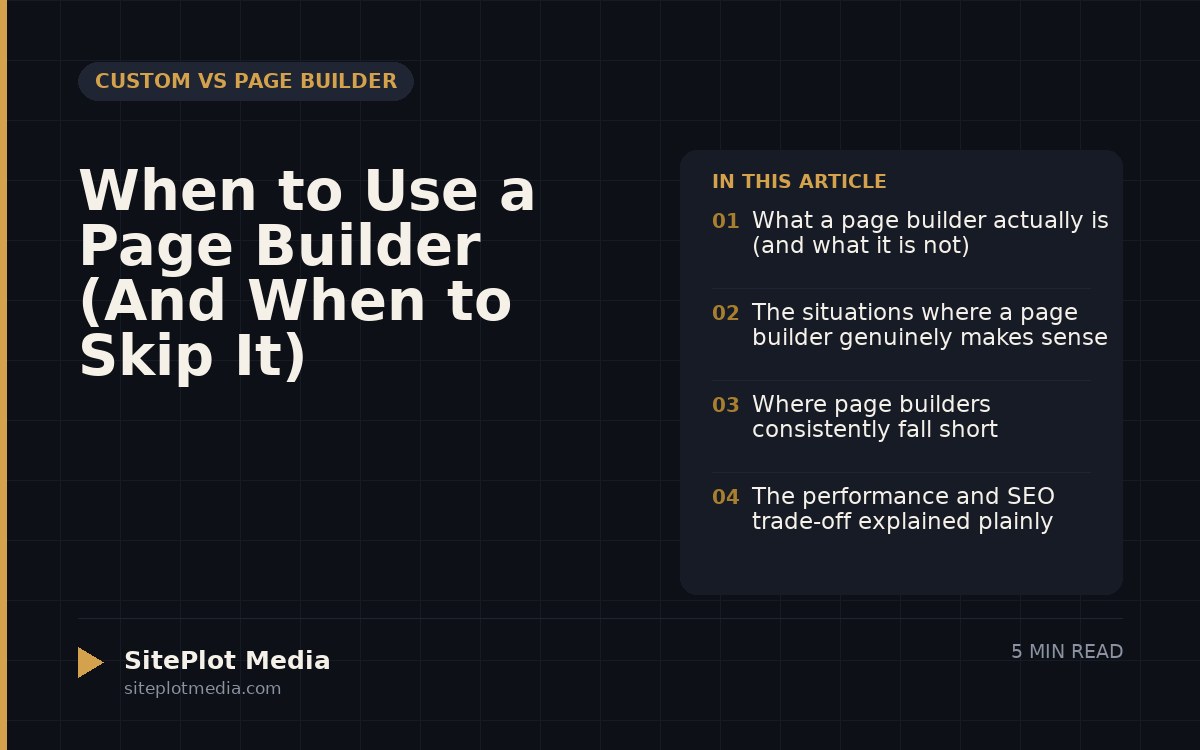
A page builder makes sense when you need a site up quickly, you want to update content yourself without a developer, and your business does not depend on top-tier page speed or highly customized functionality. If fast time-to-launch and low upfront cost matter more than peak performance, a page builder is a legitimate choice — not a compromise. But if you are competing for search rankings in a crowded market or need features that go beyond what drag-and-drop tools offer, a custom-built site will serve you better over time.
What a page builder actually is (and what it is not)
A page builder is a visual editing tool — Elementor, Divi, Beaver Builder, and Squarespace’s editor are common examples — that lets you assemble web pages by dragging and dropping pre-built blocks. You pick a layout, swap in your text and images, and publish. No coding required.
What a page builder is not is a shortcut to a better website. It is a tool with a specific set of trade-offs. The convenience you gain on day one often shows up later as slower page loads, less flexibility when your business grows, or a site that looks like dozens of others in your industry because everyone is pulling from the same block library.
Neither path is automatically right. The question is whether the trade-offs of a page builder match your actual situation.
The situations where a page builder genuinely makes sense
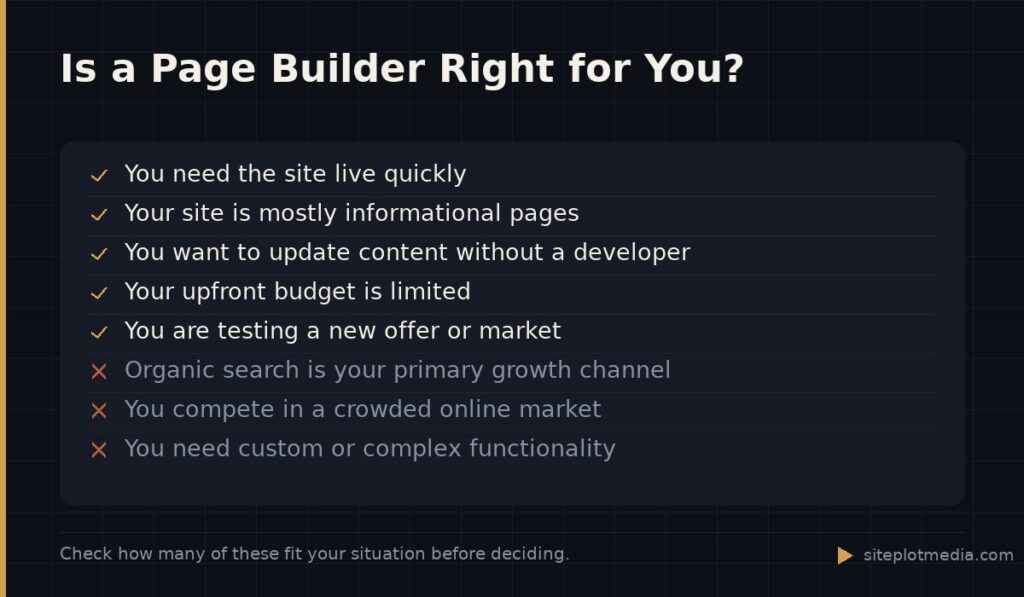
Page builders earn their place in real, practical scenarios. If any of the following describe your business, a page builder is worth serious consideration:
- You are launching a new business and need a presentable site within days, not weeks.
- Your site is mostly informational — a few service pages, a contact form, a blog — with no complex functionality.
- You or a team member will be updating content regularly and cannot afford to pay a developer every time a price changes or a new team member joins.
- Your budget for the initial build is limited and you understand the performance trade-offs going in.
- You are testing a new market or offer and do not yet know whether the business will stick.
For a local service business, a nonprofit, a freelancer building a portfolio, or a side project getting off the ground, a page builder can be exactly the right tool. Honest advice means saying that plainly.
This is the kind of thing we handle day to day — you can see how our build process works or browse recent work.
Where page builders consistently fall short
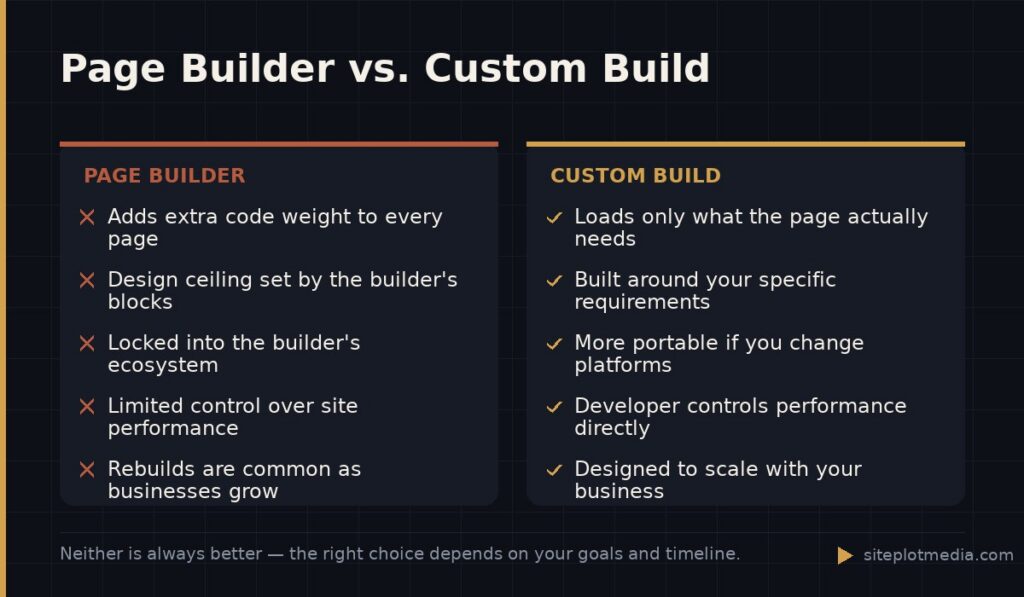
The clearest limitation is page speed. Page builders work by loading their own layer of code — styling rules, scripts, and layout logic — on top of whatever platform you are building on. That extra weight is not trivial. Google uses page speed as a ranking factor, and a measurably slower site can hurt you in competitive search results even if everything else is solid.
The second limitation is lock-in. A site built entirely in Elementor or Divi lives inside that builder. If the builder raises prices, gets acquired, or stops being maintained, migrating your content is a significant project. Custom-built sites are generally more portable.
Third, customization has a ceiling. Page builders give you a lot of flexibility within their system, but the moment you need something the builder was not designed to do — a custom checkout flow, a unique interactive feature, a tightly integrated third-party tool — you hit a wall that only a developer can get you past, and sometimes they cannot get past it cleanly either.
The performance and SEO trade-off explained plainly
Here is the practical version: page builders add code that your visitors’ browsers have to download and process before the page appears. A custom-coded site can be built to load only what that specific page actually needs. The difference in real-world load time can range from barely noticeable to quite significant depending on how the builder is configured and how much of it you are using.
For SEO, speed is one signal among many. A page builder site that is otherwise well-structured, has strong content, earns good backlinks, and loads reasonably fast can absolutely rank. But if you are in a competitive industry where your top-ranking competitors have fast, technically clean sites, a slow page builder site puts you at a structural disadvantage that content alone cannot fully overcome.
The honest summary: a page builder will not automatically tank your rankings, but it does give you one fewer advantage in an environment where every advantage matters.
How to decide: the questions that actually matter
Skip the feature comparison charts. The decision comes down to a few practical questions about your specific situation:
- How competitive is your market online? A regional landscaper in a small town faces different SEO pressure than a SaaS company trying to rank nationally.
- Do you need to update the site yourself? If yes, a page builder or a custom site with a well-configured CMS both work — but factor in how much training either requires.
- How long is your time horizon? A site you plan to rebuild in two years is a different investment than one you expect to carry your business for the next five.
- What does success look like? If organic search traffic is your primary growth channel, the performance ceiling of a page builder matters more. If your site is mainly a credibility signal while you grow through referrals, it matters less.
If you answer these questions honestly, the right path usually becomes clear without needing a developer to tell you what to do.
When it makes sense to invest in a custom-built site
Custom development is not for everyone, but it is the right call in a few clear situations: your site is a primary revenue channel, you are competing for search traffic in a crowded vertical, you need functionality that no page builder handles well, or you have had a page builder site for a while and hit its ceiling.
Custom sites cost more upfront — typically several thousand dollars on the low end, more for complex builds. At Siteplot Media, our standard site package starts at $5,000 one-time with $500 per month in ongoing support after a 90-day included period. That is not the right fit for every business, and we say so. But for businesses where the website is genuinely doing revenue-generating work, the investment tends to pay back in performance, flexibility, and not having to rebuild in eighteen months because the site could not grow with the company.
The most expensive website is often the one you build twice.
Frequently asked questions
Is a page builder bad for SEO?
A page builder is not automatically bad for SEO, but it does add code weight that can slow your site down, and page speed is a real ranking factor. A well-configured page builder site with strong content can rank well — it just starts with one fewer technical advantage compared to a lean, custom-built site.
Can I switch from a page builder to a custom site later?
Yes, but it is a rebuild, not a migration — your content can move, but the design and structure will need to be rebuilt from scratch. Plan for it as a future project rather than a simple upgrade.
Are page builders like Squarespace good enough for a small business?
For many small businesses, yes — Squarespace and similar all-in-one builders are genuinely good enough, especially if your site is informational and you are not competing heavily on organic search. The honest answer is that they handle the basics well and let you focus on running your business.
What is the difference between a page builder and a custom website?
A page builder assembles pages from pre-built visual blocks with no coding required, while a custom website is coded specifically for your business with only the features and structure it actually needs. Custom sites are typically faster and more flexible but cost more and take longer to build.
How do I know if my business has outgrown its page builder site?
Common signs include slow load times you cannot fix, features you need that the builder cannot support, a design that looks identical to competitors, or a developer telling you a change is not possible within the current setup. If you are hitting those walls regularly, it is time to evaluate a rebuild.