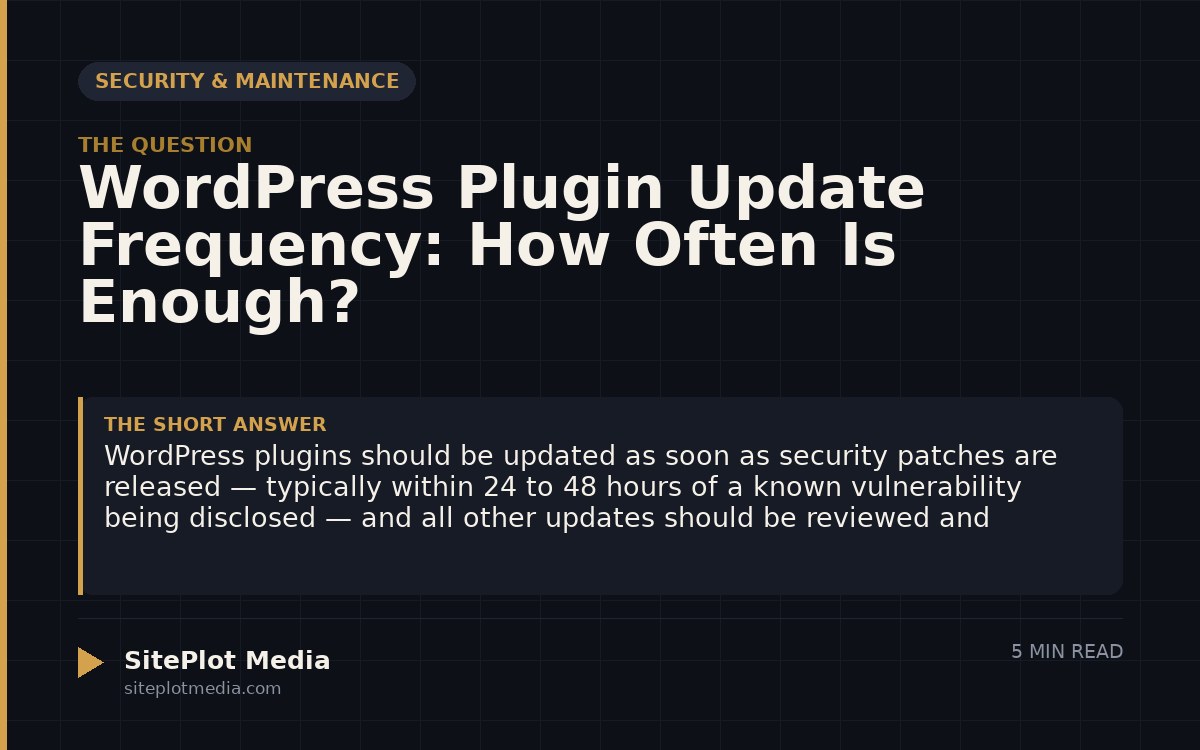
WordPress plugins should be updated as soon as security patches are released — typically within 24 to 48 hours of a known vulnerability being disclosed — and all other updates should be reviewed and applied at least once a month. Skipping updates is one of the most common reasons WordPress sites get hacked or break unexpectedly. A simple monthly maintenance routine, with faster action on security releases, protects your site without consuming much time.
Why update frequency matters more than most owners realize
WordPress is the most widely used content management system on the web, which also makes it the most targeted. Attackers don’t typically hand-craft attacks against individual small businesses — they run automated scans looking for sites running known vulnerable versions of popular plugins. If your site is running an outdated plugin with a published security flaw, it can be found and compromised within days, sometimes hours.
Plugin developers release updates for three reasons: to fix security vulnerabilities, to fix bugs, or to add new features and compatibility improvements. Security fixes are urgent. Bug fixes are usually worth applying soon. Feature updates can often wait a week or two while you verify nothing will break. Understanding this difference is what separates a thoughtful maintenance routine from either panicked daily updates or months of neglect.
The practical update schedule that works for most businesses
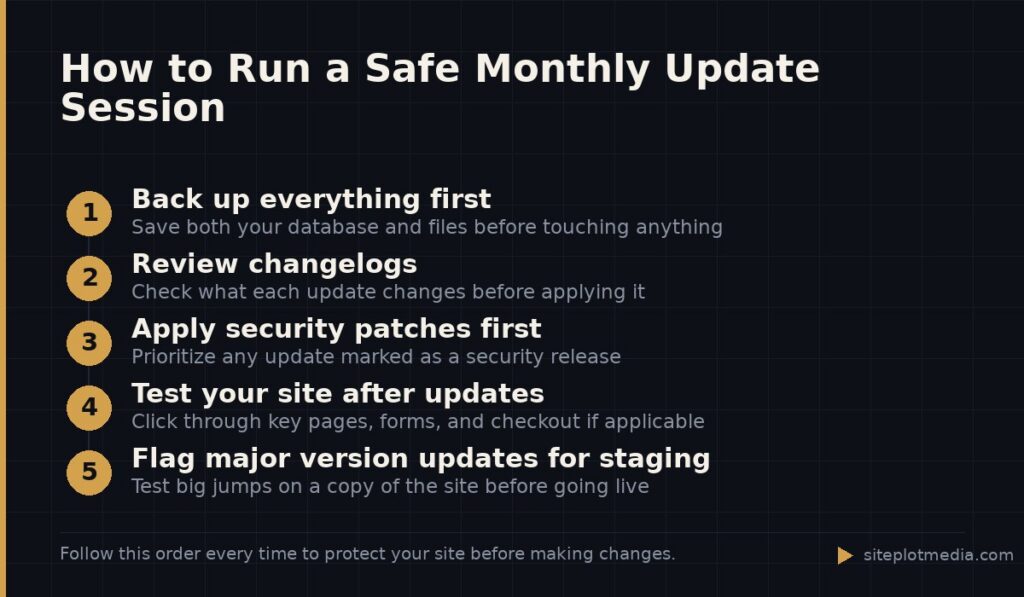
For most small and mid-sized business websites, a monthly update window is the right baseline. Set a recurring calendar reminder — the first Tuesday of each month works well — and treat it like a utility bill. Log in, back up the site, apply available updates, and check that the site still loads and functions correctly. This takes 20 to 30 minutes once you have a habit.
Security updates are the exception to the monthly rule. When a plugin you use receives a patch labeled as a security release, apply it within 24 to 48 hours. You can find out about these by checking the WordPress.org vulnerability database, or by subscribing to alerts from a service like Patchstack or WPScan. Your hosting provider or maintenance partner should also be watching for these on your behalf.
Here is a simple way to think about urgency:
- Security patch released: Update within 24–48 hours
- Bug fix or compatibility update: Update within two weeks
- Feature addition only: Update during your next scheduled monthly window
- Major version update (e.g., plugin version 2.x to 3.x): Test on a staging copy of your site before applying to the live site
This is the kind of thing we handle day to day — you can see how our build process works or browse recent work.
Always back up before you update — every single time
A plugin update can occasionally conflict with your theme, another plugin, or your version of WordPress itself. This is not common, but it happens, and when it does it can take your site down or break key functionality. The only reliable safety net is a full backup taken immediately before you apply updates.
A good backup means both your database (which holds your content, settings, and user data) and your files (which hold your theme, plugins, and uploaded media). Tools like UpdraftPlus or the backup system built into many managed hosting platforms can automate this. The backup should be stored somewhere other than your web server — a cloud storage account or your local computer — so that if the server itself has a problem, the backup is still accessible.
If you have a staging environment (a private copy of your site used for testing), use it. Apply updates there first, verify everything works, then push to your live site. Not every business needs this level of process, but if your site drives significant revenue or lead generation, it is worth the extra step.
What happens when plugins go unmaintained for months
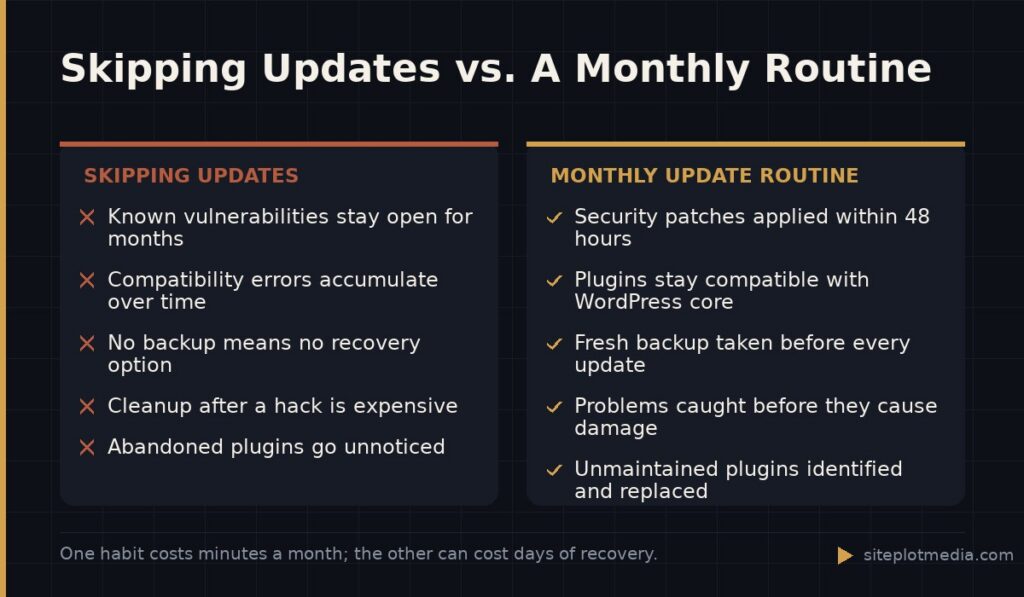
Sites that go three to six months without plugin updates tend to accumulate compounding risk. Each skipped security patch is an open door. By the time owners notice a problem — strange redirects, spam content appearing, a Google warning in search results — the damage is already done and cleanup is significantly more expensive than prevention would have been.
There is also a compatibility drift problem. WordPress core updates regularly, and plugins that haven’t been updated in a long time can start producing errors or breaking functionality when WordPress itself moves forward. Major PHP version changes on the hosting server can have the same effect. Staying current is easier than catching up after a long gap.
The other risk is plugins that have been abandoned by their developers entirely. If a plugin hasn’t received an update in over a year and hasn’t been tested against recent versions of WordPress, treat it as a liability. Look for an actively maintained alternative and migrate before a vulnerability surfaces with no patch coming.
Who should actually be doing this work
If you are comfortable in the WordPress dashboard and you have fewer than 20 or so plugins installed, handling updates yourself with a good backup routine is entirely reasonable. It is not technically difficult — the risk is not knowing what to do when something breaks, and not having a backup to restore from.
If your site is central to your business, runs e-commerce, or you simply don’t want to think about it, delegating maintenance to a professional is worth the cost. Managed WordPress hosting plans (from hosts like WP Engine or Kinsta) often include some level of update management. Web development studios — including our own maintenance packages here at Siteplot Media — typically include regular updates, backups, uptime monitoring, and a point of contact when something goes wrong. Costs for standalone maintenance services generally range from around $50 to a few hundred dollars per month depending on the scope, the number of sites, and what is included.
The honest answer is: if you will actually do the monthly routine consistently, do it yourself. If you know you won’t, hire it out. A skipped update six months from now costs more than a maintenance plan would have.
Frequently asked questions
Is it safe to update WordPress plugins automatically?
Automatic updates are safe for minor releases and security patches on well-established plugins, but should be used cautiously for major version updates. Enabling auto-updates works best when you also have automatic daily backups and someone monitoring the site for breakage after updates run.
Can updating a plugin break my WordPress site?
Yes, a plugin update can occasionally cause conflicts that break part or all of your site, which is why taking a full backup immediately before updating is essential. Having a recent backup means you can restore the site to its working state within minutes if something goes wrong.
How do I know if a plugin update is a security fix?
Check the plugin's changelog — most developers label security releases clearly in their release notes, which you can read on WordPress.org under the plugin's listing. You can also subscribe to free alerts from Patchstack or the WPScan vulnerability database to get notified when plugins you use receive security patches.
What should I do if a plugin hasn't been updated in over a year?
Treat an unmaintained plugin as a potential liability and start looking for an actively supported replacement. Abandoned plugins will not receive security patches if a vulnerability is discovered, leaving your site permanently exposed until you remove or replace them.
Do I need to update plugins if my site doesn't get much traffic?
Yes — attackers use automated tools that don't discriminate based on traffic volume; they scan for known vulnerabilities regardless of how popular a site is. A low-traffic business site running outdated plugins is just as likely to be targeted as a high-traffic one.