Page builder vendor lock-in means your website’s design, content, and functionality become dependent on a single commercial tool you don’t own or control. If that tool raises its prices, changes its features, or shuts down, you can’t simply switch without rebuilding significant parts of your site. The hidden costs show up as slower page speeds, rising subscription fees, developer workarounds, and a full rebuild if you ever need to leave.
What vendor lock-in actually means for a business website
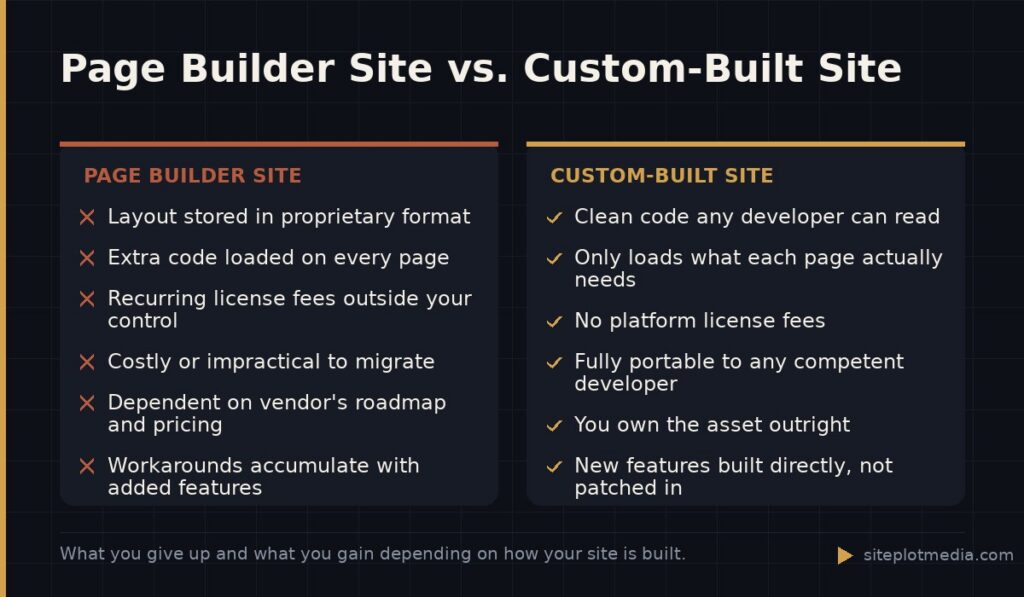
Most page builders—Elementor, Divi, WPBakery, Squarespace’s editor, Wix, and others—work by storing your layout data in their own format. That format is tied to the plugin or platform. Your words and images can usually be moved, but the structure of every page, every section, every button and column, lives inside proprietary shortcodes or database entries that mean nothing without the builder installed and licensed.
This is different from being “stuck” with a host or a CMS. WordPress itself is open-source and genuinely portable. But a WordPress site built entirely in Elementor Pro is only partly portable. Deactivate the plugin and your pages become unformatted text blocks at best, broken gibberish at worst. That dependency is vendor lock-in, and it has measurable consequences.
The performance cost you pay every month
Page builders trade developer time for visual convenience, and they do that by loading a large amount of code on every page—often regardless of whether that page uses every feature. Elementor, Divi, and similar tools are well-documented to add meaningful CSS and JavaScript weight to pages, even after caching and minification. That extra weight slows down load times, and load time is one of the factors Google uses in its Core Web Vitals assessment.
Slower pages hurt you in two places at once. Visitors are more likely to leave before the page finishes loading, which reduces conversions. And search engines factor page experience into rankings, so a slower site can rank below a competitor whose page answers the same question but loads faster. Neither effect shows up on your page builder invoice, but both affect your bottom line.
A custom-coded site built to your specific needs loads only what it uses. That isn’t magic—it’s the straightforward result of not carrying a framework built to serve every possible use case for every possible customer.
This is the kind of thing we handle day to day — you can see how our build process works or browse recent work.
The escalating subscription cost most owners underestimate
Many business owners adopt a page builder when it seems affordable, sometimes free or nearly so. The real cost often comes later. Premium tiers, annual renewals, add-on plugin licenses, compatible theme licenses, and form or pop-up tool subscriptions can stack into several hundred dollars per year before you’ve added hosting or domain registration.
More importantly, the builder’s pricing is entirely outside your control. Elementor has raised its prices. Divi changed its license model. Wix has increased plan costs over time. When a platform you depend on decides to restructure pricing, your options are: pay the new rate, spend developer time finding workarounds, or absorb the cost of migrating away. None of those options are free.
That escalation risk is worth pricing into your decision upfront. A higher one-time investment in a custom site that carries no ongoing platform license can be cheaper over a three-to-five year horizon than a “cheaper” builder site with compounding subscription costs and growing technical debt.
What it actually costs to leave a page builder
The exit cost is the one most business owners discover too late. When a builder-dependent site needs a serious redesign, a major performance overhaul, or a migration to a different platform, developers often find it faster to rebuild from scratch than to untangle existing shortcode-heavy templates. That means you may pay nearly full rebuild costs even though you already paid to build the site once.
Exit costs are not just financial. They include time spent briefing a new developer on how the current site is structured, potential SEO disruption during a migration, and the possibility that certain design choices simply cannot be replicated outside the original builder without custom development work.
- Design elements stored as proprietary shortcodes must be manually recreated
- Third-party integrations tied to builder-specific widgets may need replacing
- A full content audit is often needed before migration can begin
- Developer time to untangle a complex builder setup typically adds cost to any redesign quote
When a page builder is genuinely the right choice
Honesty requires acknowledging this: page builders are appropriate for some situations. If you are an early-stage business with a very limited budget, need a site live in days rather than weeks, and understand you may rebuild later, a builder-based site is a reasonable starting point. A live imperfect site beats a perfect site that never launches.
Page builders are also reasonable for internal landing pages, short-lived campaign pages, or hobby projects where performance and long-term maintainability are not priorities. The problems arise when a builder-based site becomes the permanent foundation of a growing business and begins accumulating integrations, content, and custom functionality on top of a platform the owner doesn’t control.
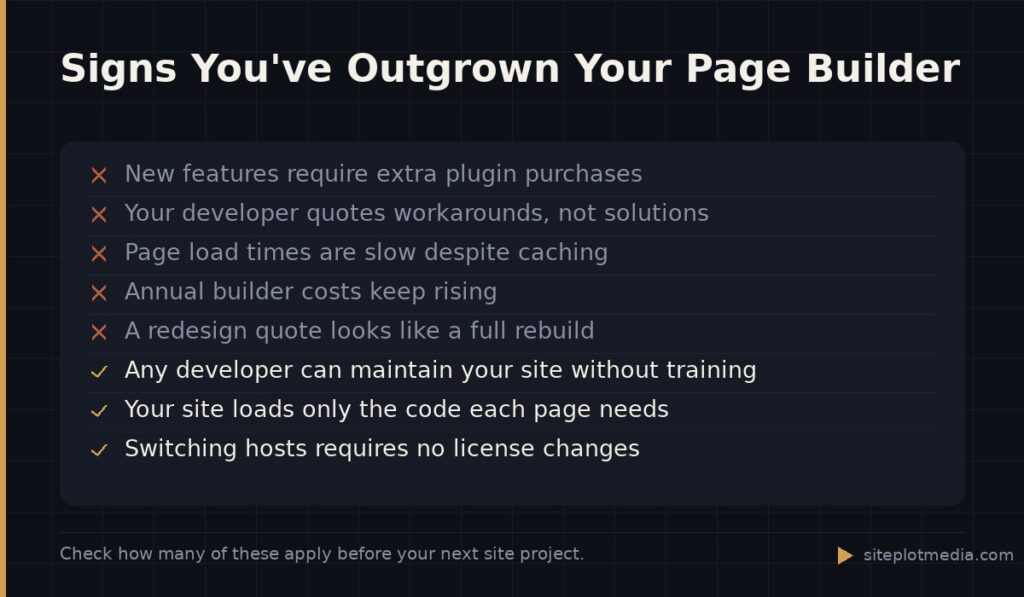
The clearest sign you’ve outgrown a builder is when your developer’s answer to a new feature request is a workaround or an additional plugin rather than a direct implementation. That’s the moment lock-in starts costing you in capability, not just money.
What a custom-built site gives you that a builder cannot
A site built in clean, standards-based HTML, CSS, and JavaScript—or against a well-structured CMS without a visual builder layer—belongs to you in a practical sense. Any competent developer can read, maintain, and extend it. You are not dependent on a single vendor’s continued existence, pricing decisions, or product roadmap.
Custom builds also allow developers to optimize for your actual use case. Your homepage loads the code your homepage needs. Your product pages load what product pages need. Nothing more. That precision is difficult or impossible to achieve inside a generic visual builder framework, and it produces measurable differences in load time and Core Web Vitals scores.
For businesses that want a genuinely portable, performant, maintainable web presence, Siteplot Media builds custom WordPress sites starting at $5,000 one-time with ongoing support at $500 per month after a 90-day included period—no page builder dependency, no proprietary lock-in. That’s one data point for comparison, not a pitch: scope and complexity affect every project’s cost, and some businesses are better served by other approaches.
Frequently asked questions
Can I move my Elementor or Divi site to a new platform without rebuilding it?
Your text and images can be exported, but the page layouts themselves are stored in a format that only works inside that specific builder, so moving to a new platform or theme almost always requires rebuilding the design from scratch.
Does using a page builder hurt my Google rankings?
Page builders can hurt rankings indirectly by adding unnecessary code that slows page load times, which negatively affects Core Web Vitals—a factor Google uses in ranking. The builder itself is not penalized, but its performance impact can be.
How much does it cost to rebuild a site that's stuck in a page builder?
Rebuild costs depend heavily on site complexity and what features need to be replicated, but because untangling builder-dependent code is often impractical, many developers quote a full rebuild rather than a migration, which can range from a few thousand dollars to significantly more for complex sites.
Is Squarespace or Wix the same problem as Elementor when it comes to lock-in?
Squarespace and Wix are actually more locked-in than Elementor, because they are closed platforms—you cannot export your site files at all, only your content. At least a WordPress-plus-Elementor site gives you access to your database and files.
When is it okay to stay with a page builder instead of switching to a custom build?
Staying with a page builder is reasonable if your site is simple, your traffic and revenue goals don't demand peak performance, and you don't plan to add complex functionality. The upgrade to a custom build makes the most sense when speed, flexibility, or long-term cost become real business concerns.