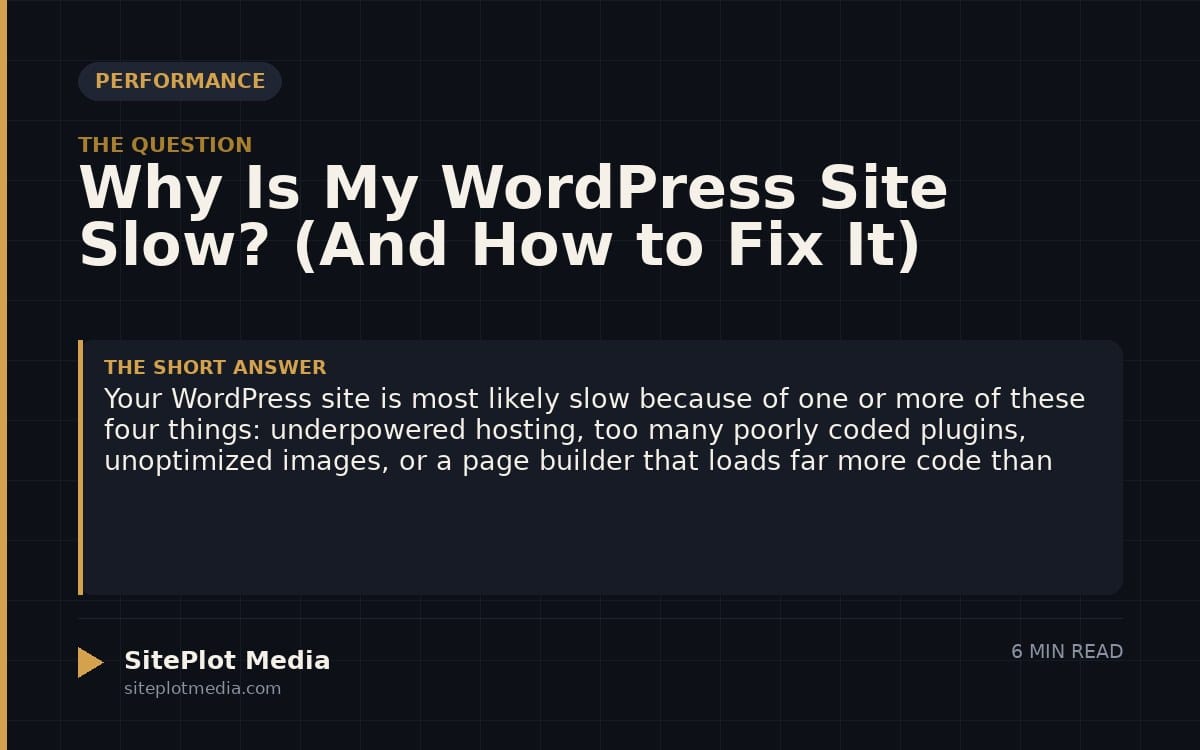
Your WordPress site is most likely slow because of one or more of these four things: underpowered hosting, too many poorly coded plugins, unoptimized images, or a page builder that loads far more code than your pages actually need. Each of these problems is fixable, but the right fix depends on which ones you actually have — and some quick wins cost nothing while others require real investment.
Hosting is the foundation — and cheap hosting shows
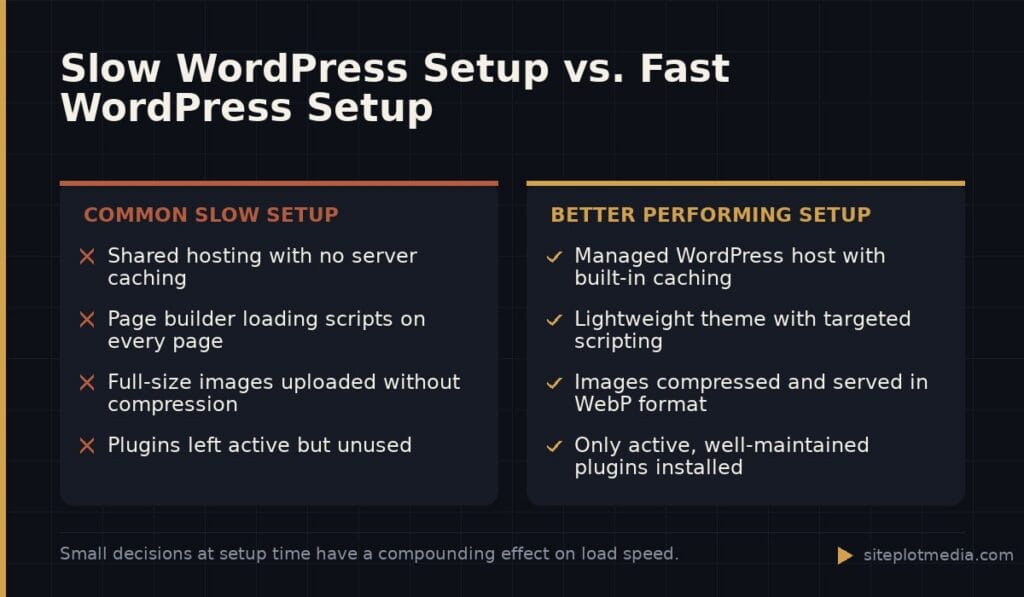
Shared hosting plans that cost a few dollars a month put your website on a server alongside hundreds or thousands of other sites. When those neighbors get traffic, your site slows down. You have no control over it. Think of it like living in an apartment building with one washing machine for 200 units — your timing doesn’t matter if someone else is always using it.
If your host is the problem, you’ll notice slowness everywhere, on every page, regardless of what you’ve installed. Moving to a managed WordPress host — companies like Kinsta, WP Engine, or Cloudways — typically makes a noticeable improvement the day you migrate. Expect to pay somewhere in the $25–$50/month range for a quality entry-level managed plan, which is meaningfully more than bargain shared hosting but often cheaper than the lost business a slow site causes.
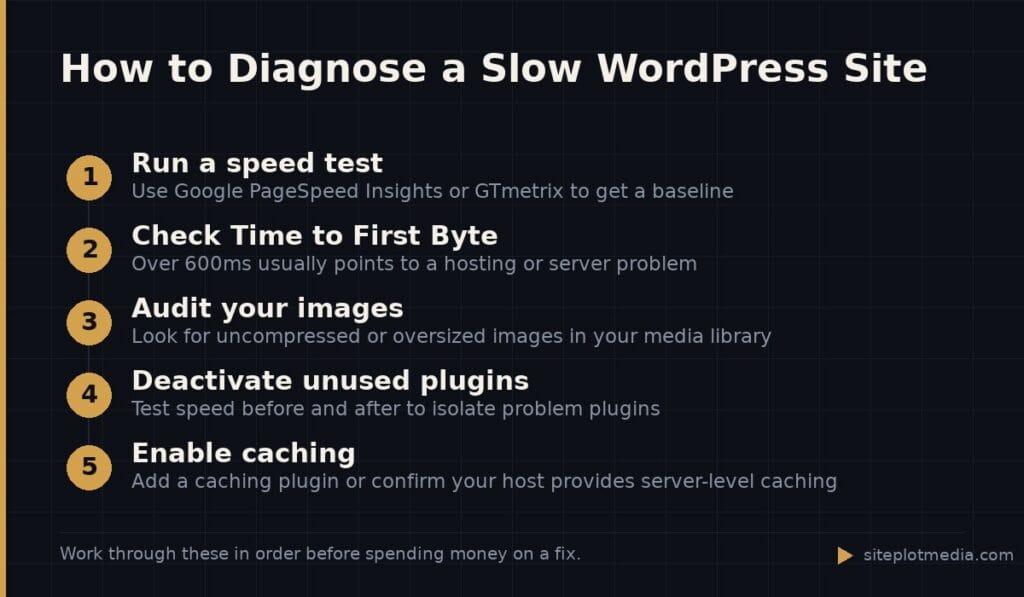
Before blaming anything else, test your site speed from a tool like Google PageSpeed Insights or GTmetrix, then check your host’s server response time (called Time to First Byte, or TTFB). If that number is above 600 milliseconds, your host is the bottleneck.
Too many plugins, or the wrong ones, will drag you down
Plugins are how WordPress does almost everything, and most sites need at least a handful of them. The problem is that every plugin you activate adds code that has to load — sometimes on every single page, even pages where that plugin does nothing useful. A contact form plugin loading its scripts on your homepage is wasted weight.
The number of plugins matters less than the quality of those plugins. One bloated, poorly maintained plugin can slow a site more than ten lightweight, well-coded ones. Signs of a problematic plugin include: it hasn’t been updated in over a year, it has a pattern of bad reviews mentioning slowness, or your speed scores drop noticeably right after you activate it.
- Deactivate plugins you’re not actively using — not just unused, but deactivated
- Use a free staging environment (most managed hosts provide one) to test plugin removal safely
- Replace multipurpose plugins with focused tools that do one thing well
- Check your site speed before and after adding any new plugin
This is the kind of thing we handle day to day — you can see how our build process works or browse recent work.
Images are almost always part of the problem
A photograph straight from your phone or a stock photo site can easily be 3–6 megabytes. If your homepage loads six of those, a visitor on a mobile connection is downloading 20+ megabytes before they even read a word. Images are one of the most common causes of slow WordPress sites, and they’re also one of the easiest to fix.
The solution has three parts: compress the file size, serve images in a modern format like WebP, and use a technique called lazy loading so images below the fold only download when a visitor actually scrolls to them. A plugin like Imagify, ShortPixel, or Cloudflare’s image optimization can handle the first two automatically. WordPress has had lazy loading built in since version 5.5, so if you’re on a recent version, that part may already be working.
One thing worth checking manually: make sure your images are sized close to their display dimensions. Uploading a 4,000-pixel-wide image and displaying it at 400 pixels wide means you’re making visitors download ten times more data than necessary.
Page builders add convenience but cost performance
Tools like Elementor, Divi, and WPBakery make it possible to build visually complex layouts without writing code, and for many businesses they’re a reasonable trade-off. But they work by loading a significant amount of their own CSS (visual styling rules) and JavaScript (interactive behavior) on every page — including pages that use almost none of their features.
This doesn’t mean you need to abandon your page builder. It does mean you should be aware of the trade-off. If performance is a priority, a site built with a lightweight theme framework and minimal builder reliance will almost always load faster than an equivalent Elementor or Divi site, all else equal. If you’re rebuilding or launching a new site and speed matters to you, this is the conversation to have with your developer at the start of the project, not after launch.
For existing sites, some page builders have improved significantly and offer performance modes or asset loading controls. Elementor’s “Improved Asset Loading” experiment, for example, can help on sites that use it selectively. It’s worth enabling and testing, but it’s not a complete solution for heavily built-out sites.
Caching and a CDN can make a fast site feel even faster
Caching means storing a pre-built version of your page so that WordPress doesn’t have to rebuild it from scratch every time someone visits. Without caching, every page load triggers a fresh database query and PHP processing cycle. With caching, most visitors get a pre-rendered page served almost instantly. A plugin like WP Rocket, W3 Total Cache, or LiteSpeed Cache handles this — and most managed WordPress hosts include server-level caching that works even better.
A CDN, or content delivery network, is a related but different tool. It stores copies of your static files — images, fonts, scripts — on servers distributed around the world, so a visitor in Seattle gets files from a nearby server rather than one in, say, Virginia. Cloudflare offers a free tier that handles basic CDN functionality and is worthwhile for almost any WordPress site. For businesses with traffic from multiple countries or regions, a CDN is especially impactful.
Keep in mind that caching can occasionally cause visitors to see outdated content after you make changes. Most caching plugins let you clear the cache manually or set automatic clearing rules — make sure someone on your team knows how to do this.
When a piecemeal fix isn't enough, a rebuild may be worth it
Sometimes a slow WordPress site isn’t fixable at the plugin-and-settings level because the performance problems were baked in from the beginning — wrong hosting, a heavily customized page builder theme, years of accumulated plugins, and images that were never optimized. In those cases, tuning around the edges gets diminishing returns.
A proper rebuild on a solid technical foundation — quality hosting, a lightweight theme, a disciplined plugin stack, and images handled correctly from the start — is a meaningful investment, but it tends to pay off in lower ongoing maintenance costs and better search performance over time. If you’re evaluating that kind of project, Siteplot Media’s approach starts at $5,000 with ongoing support at $500/month after the included 90-day period — but that’s the right fit only if the business case justifies it. If your current site just needs caching set up and images compressed, you don’t need a rebuild.
Frequently asked questions
How do I find out what's actually slowing down my WordPress site?
Run your URL through Google PageSpeed Insights or GTmetrix — both are free and will show you a breakdown of what's causing slowness. Pay attention to Time to First Byte (server speed), image size warnings, and render-blocking resources, which are usually signs of plugins or page builder code loading unnecessarily.
Will adding a caching plugin fix my slow WordPress site?
Caching helps, but it is not a complete fix if your underlying problems are underpowered hosting, oversized images, or bloated plugins. Think of caching as making an already-reasonable site faster, not as a solution to a fundamentally slow setup.
Does having a lot of WordPress plugins always make a site slow?
Not automatically — plugin quality matters more than plugin count. A handful of poorly coded or outdated plugins can do more damage than a dozen well-built, focused ones. That said, every active plugin adds at least some overhead, so only keeping plugins you actually use is good practice.
Is Elementor the reason my WordPress site is slow?
Elementor can be a significant contributor to slow load times because it loads a meaningful amount of CSS and JavaScript across your site. Whether it is the primary cause depends on your specific setup — test your speed scores with a plugin like Query Monitor or check your browser's network tab to see how much Elementor assets weigh.
How fast should a WordPress site actually load?
Google's Core Web Vitals targets a Largest Contentful Paint (your main content appearing) of under 2.5 seconds, and most well-built WordPress sites can hit that on good hosting with proper optimization. If your site is taking 5 or more seconds, there are almost certainly fixable problems worth addressing.